Each NEN System User can edit certain personal data. To do so, click the user icon in the top-right menu of the screen and then select “Settings”.
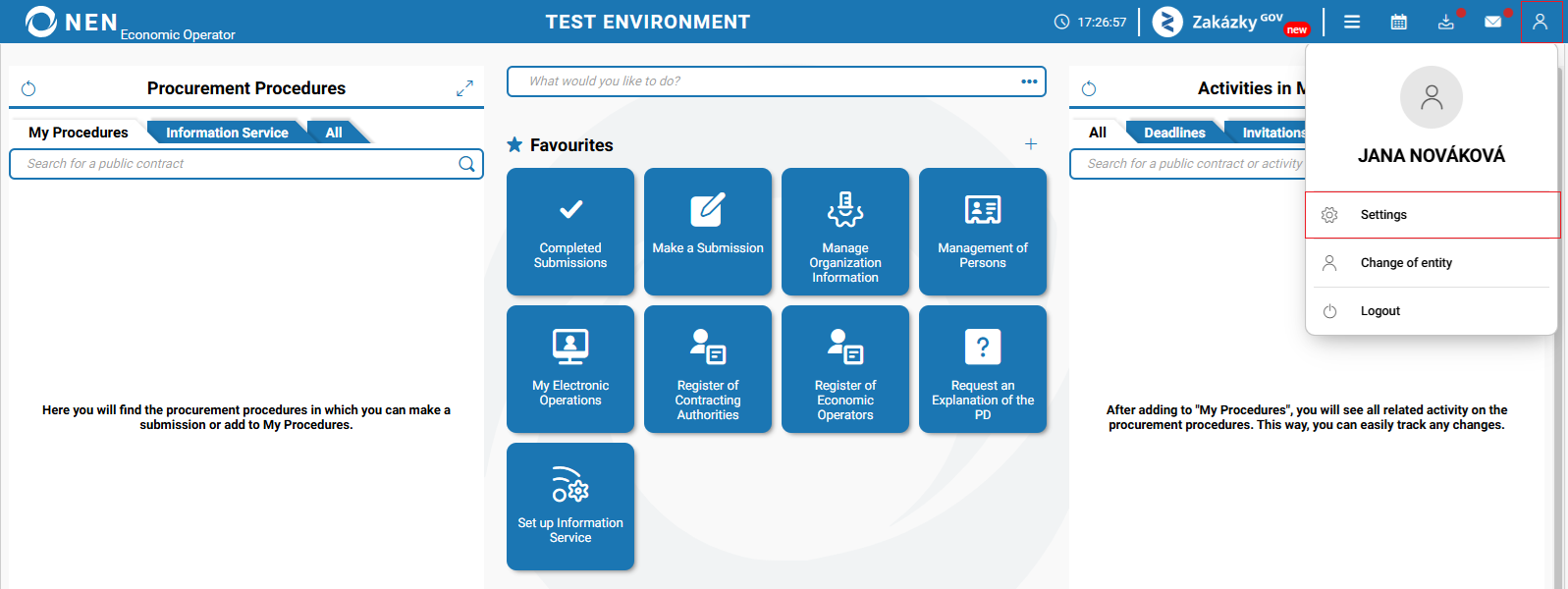
NEN System User settings
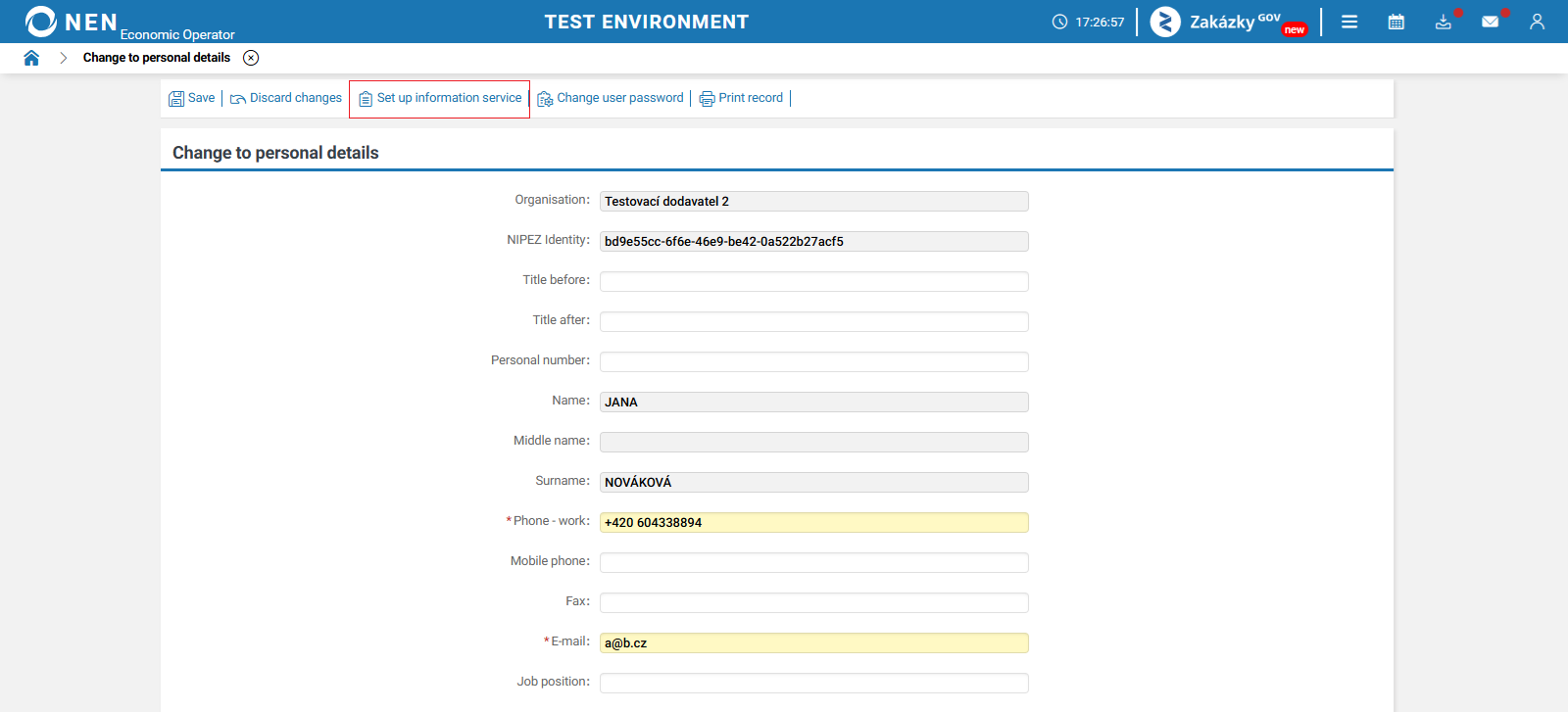
After clicking the “Settings” button, the “Change to personal details” form will be displayed. If the user account has already obtained a NIPEZ Identity, the “Change to personal details” form will be displayed, where you can edit certain personal data or set up the information service by clicking the “Set up information service” button in the top toolbar.
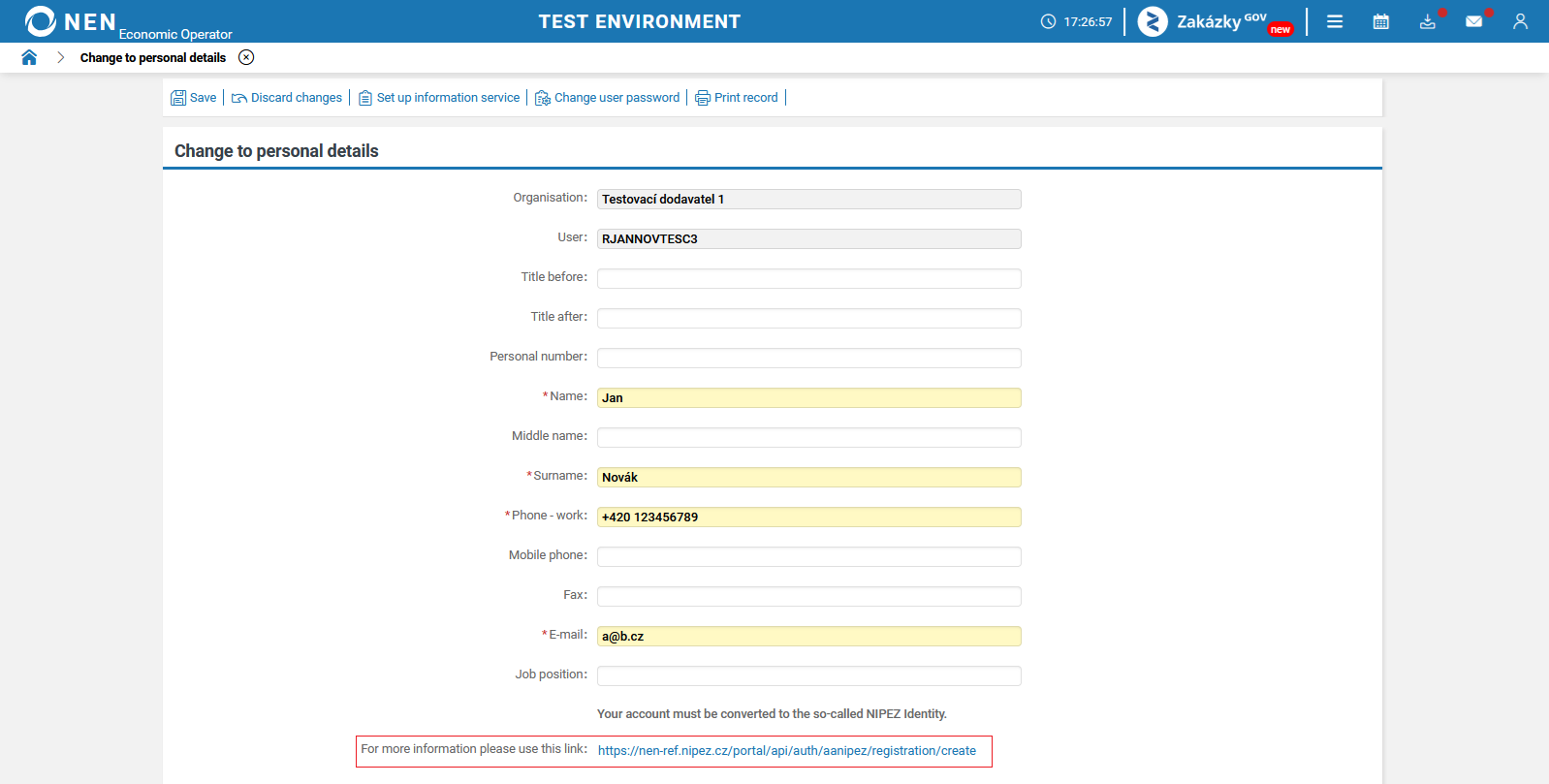
If the user account does not have a NIPEZ Identity, you can easily obtain one by clicking the link at the bottom of the “Change to personal details” form, which will initiate the migration of the NEN System User for the purpose of obtaining a NIPEZ Identity.
NEN System User can independently reset a forgotten password. On the login form for the NEN system, click on the "Forgot password" option and proceed by entering the username and email address of your user account. The password of a NEN System User can also be reset by the entity’s administrator and the NEN System User Support.
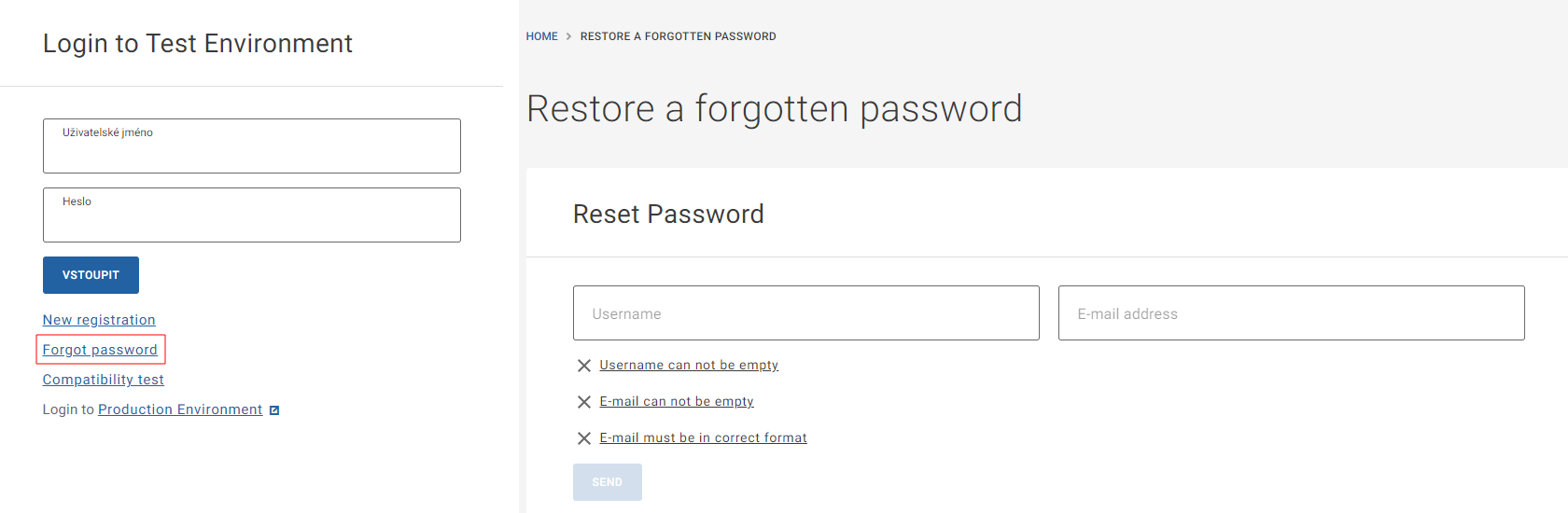
Changing the password for a NEN System User who logs in to the NEN system using the NIPEZ Identity is not possible.
A NEN System User with an assigned NIPEZ Identity will not be able to edit the following details: first name, middle name and last name.
Change of entity
If a NEN System User uses the NIPEZ Identity to log in to the NEN system, the NEN System User icon additionally offers the “Change of entity” option.
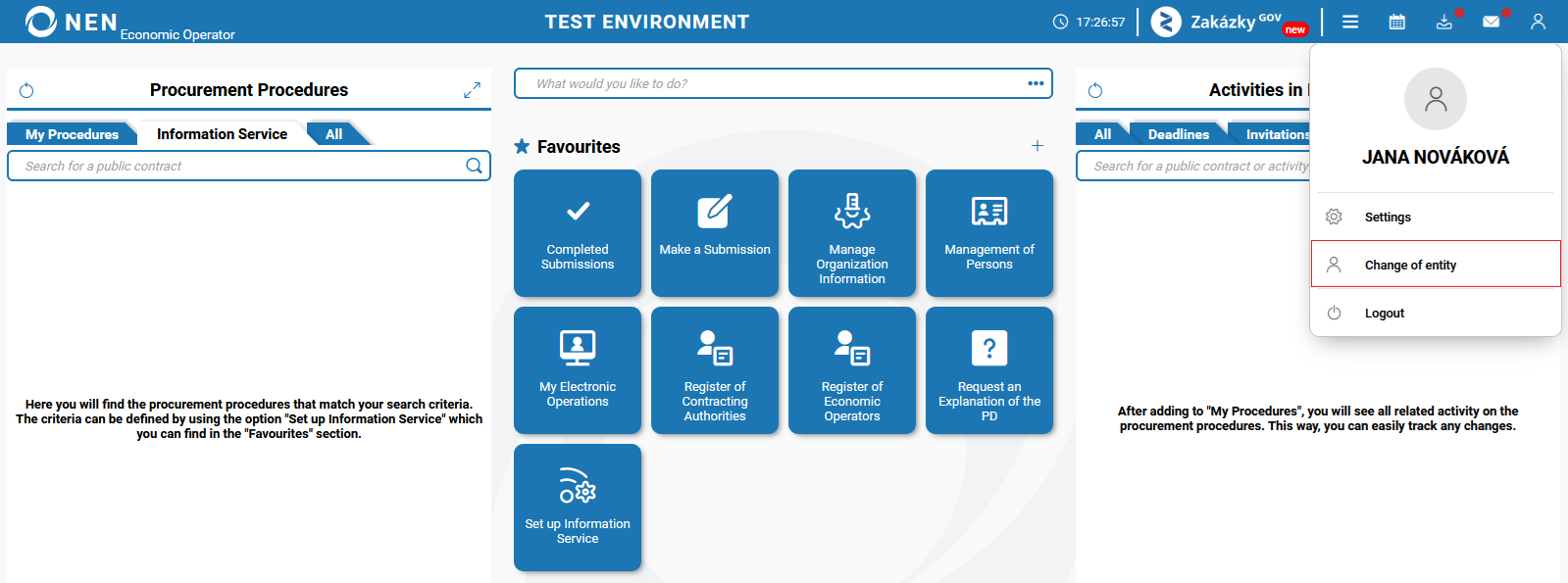
After clicking this option, you will be redirected to the public portal of the NEN system, where you will be able to log in on behalf of another available entity after making a selection.