
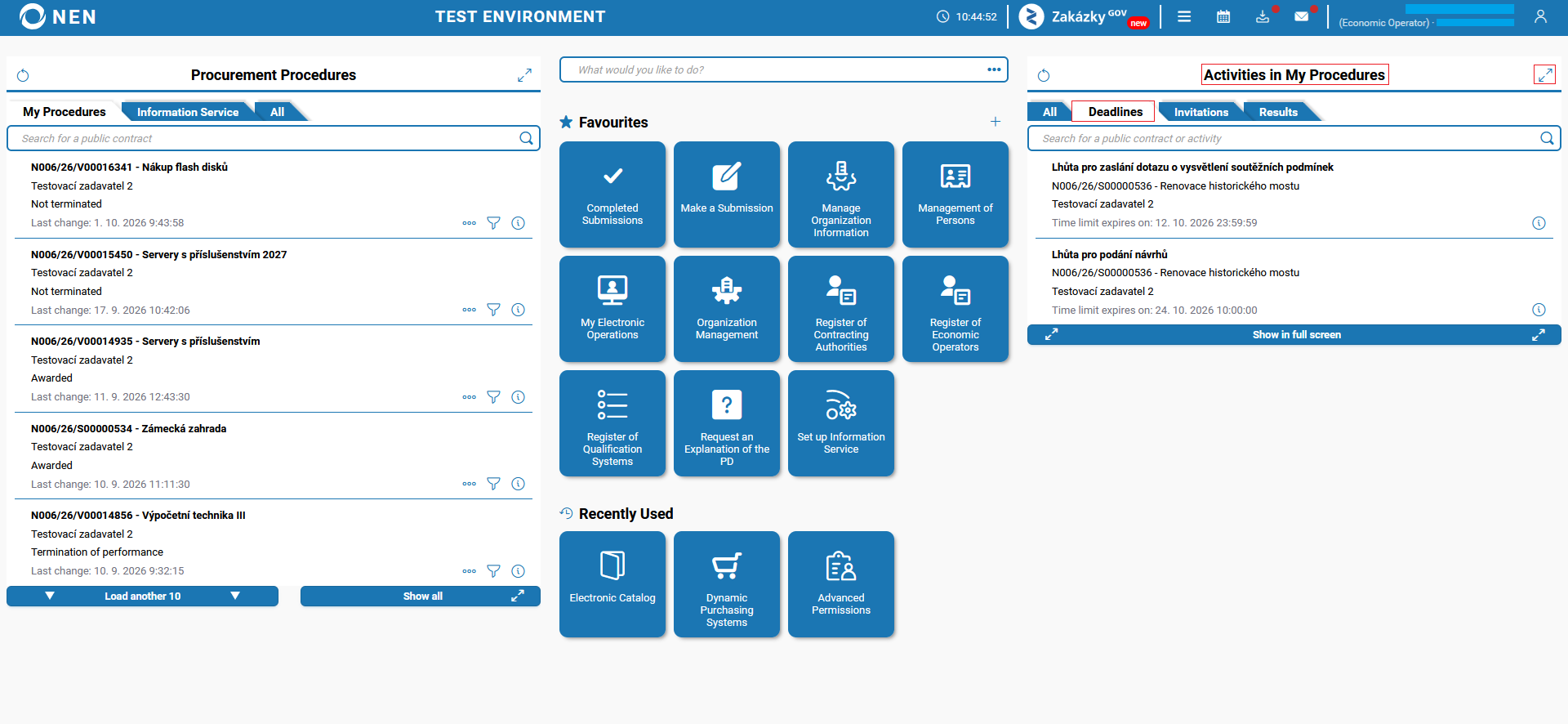
The NEN system shows the "My Procedures" tab by default, displaying deadlines, sending notices, etc. for the procurement procedures in the "Activities in My Procedures" tab.
Procurement procedures
The list of procurement procedures is divided into three folders, always sorted by the most current records. If you would like to view the complete list of all procurement procedures, click on the "double arrow" icon or the "Show all" button in the respective folder.
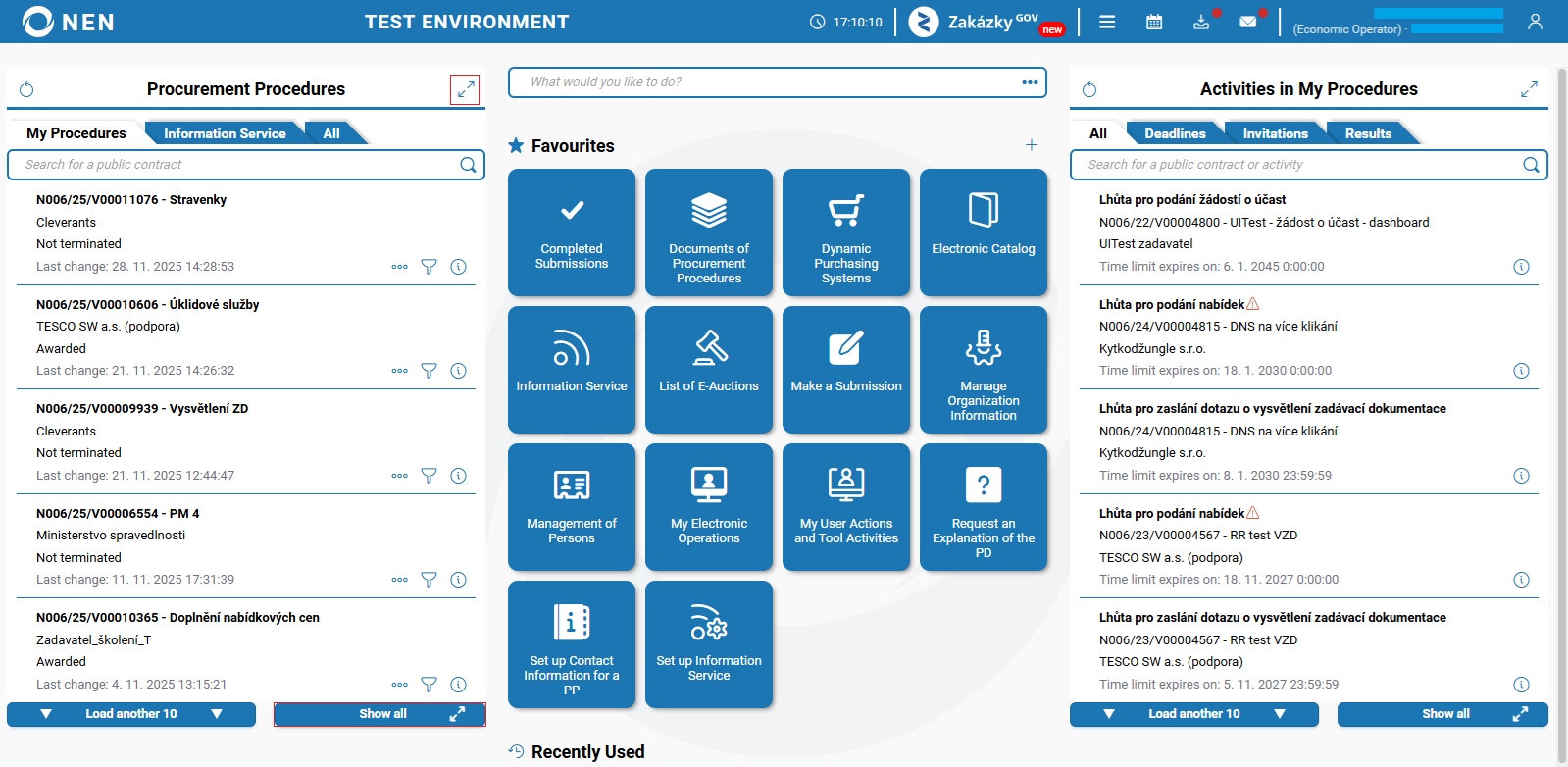
My Procedures
Each procurement procedure can be added to "My Procedures". Procurement procedures in which you have received an invitation, submitted a tender, or sent a request for an explanation of the procurement documents are automatically added to the "My Procedures" folder.
If you make a submission via the Zakázky GOV portal, the procurement procedure will then be added and displayed in the "My Procedures" folder.
The "My procurement procedures" form is divided into four folders:
-
"Current" - a list of procurement procedures for which the result has not been published (e.g., no economic operator has been selected), or at least 30 days have not passed since the result was published,
-
"Today Published Change" - a list of procurement procedures for which the contracting authority has published a change in the NEN System Journal or on the contracting authority's profile today (e.g., explanation of procurement documents),
-
"Archival" - a list of procurement procedures for which the result has been published (an economic operator has been selected and other information) and at least 30 days have passed since the publication,
-
"All" - a list of all procurement procedures that you have included in your procedures.

Information Service
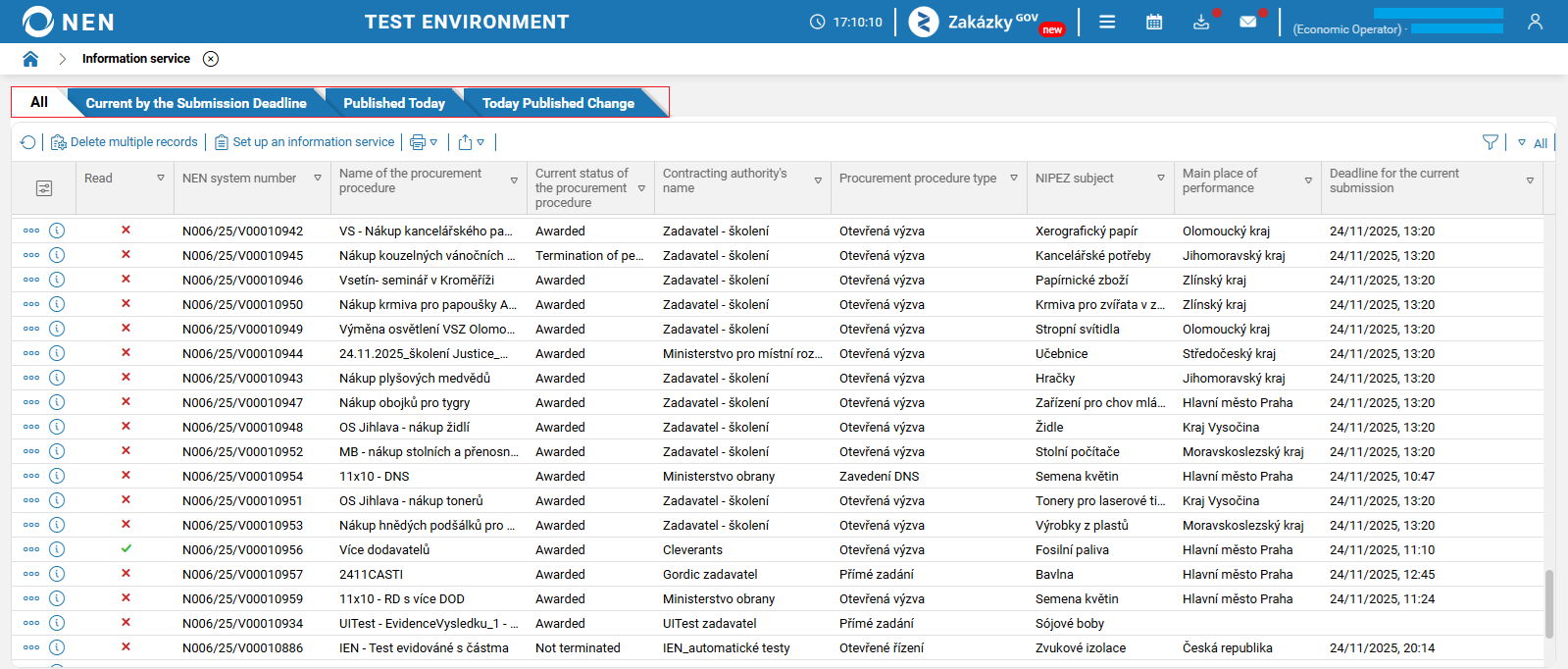
It displays procurement procedures that correspond with the settings of the information service rules.
The "Information service" form is divided into four folders:
-
"All" - a list of all procurement procedures that correspond to the settings of the information service,
-
"Current by the Submission Deadline" - a list of procurement procedures that correspond to your configured information service and for which submissions can be made (the deadline for submitting tenders, requests to participate, and others is running),
-
"Published Today" - a list of procurement procedures that correspond to your configured information service and that have been published today for the first time in the NEN System Journal or on the contracting authority's profile, or made accessible to you (e.g., initiation of a procurement procedure),
-
"Today Published Change" - a list of procurement procedures that correspond to your configured information service and for which the contracting authority has published changes today in the NEN System Journal or on the contracting authority's profile, or these changes have been made accessible to you (e.g., explanation of procurement documents, list of participants).
All
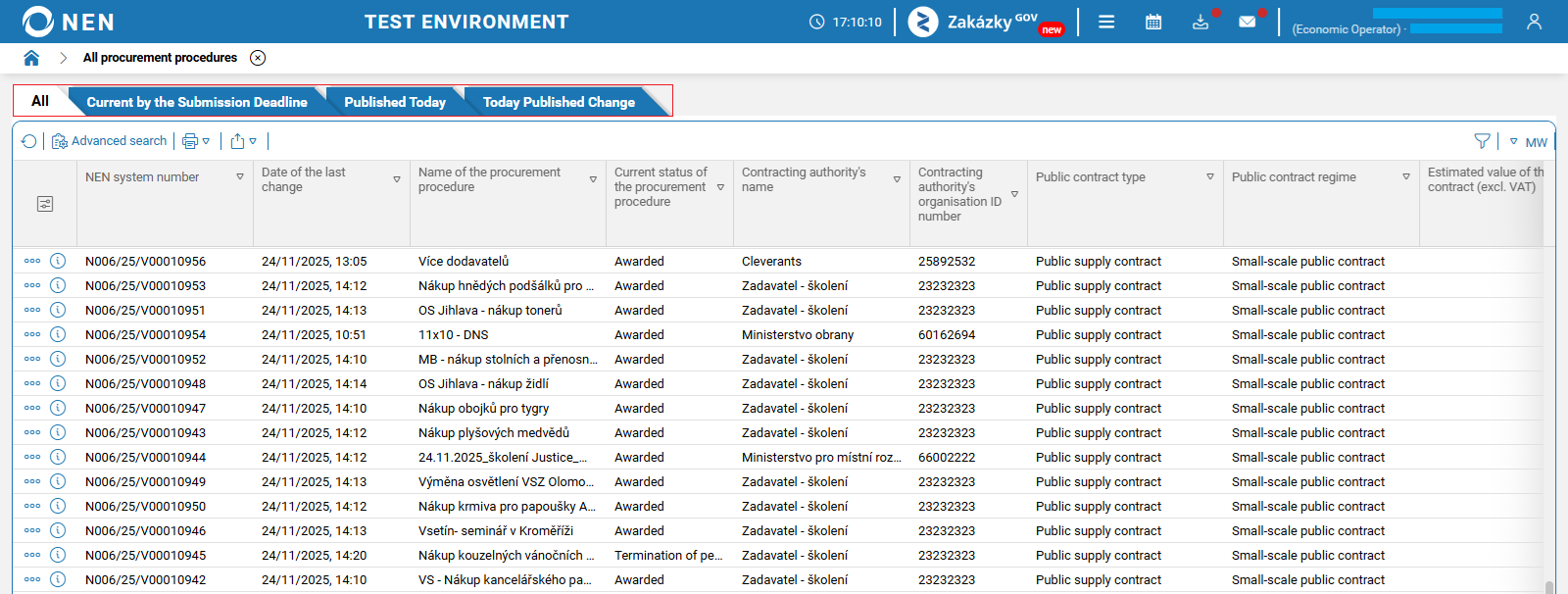
Here, all procurement procedures are displayed, for which a contracting authority has made a publication (some procurement procedures are published in the public portal of the NEN system only after the procurement procedure results are known, so you will not find them earlier). Additionally, you will see here procurement procedures for which you have received an invitation for any submission.
The "All procurement procedures" form is divided into four folders:
-
"All" - an overview of procurement procedures,
-
"Current by the Submission Deadline" - a list of procurement procedures for which submissions can be made, i.e., the deadline for submitting tenders, requests to participate, and others is running,
-
"Published Today" - a list of procurement procedures that have been published today for the first time in the NEN System Journal or on the contracting authority's profile (e.g., initiation of a procurement procedure),
-
"Today Published Change" - a list of procurement procedures for which the contracting authority has published changes today in the NEN System Journal or on the contracting authority's profile (e.g., explanation of procurement documentation, document, list of participants).
Activities in My Procedures
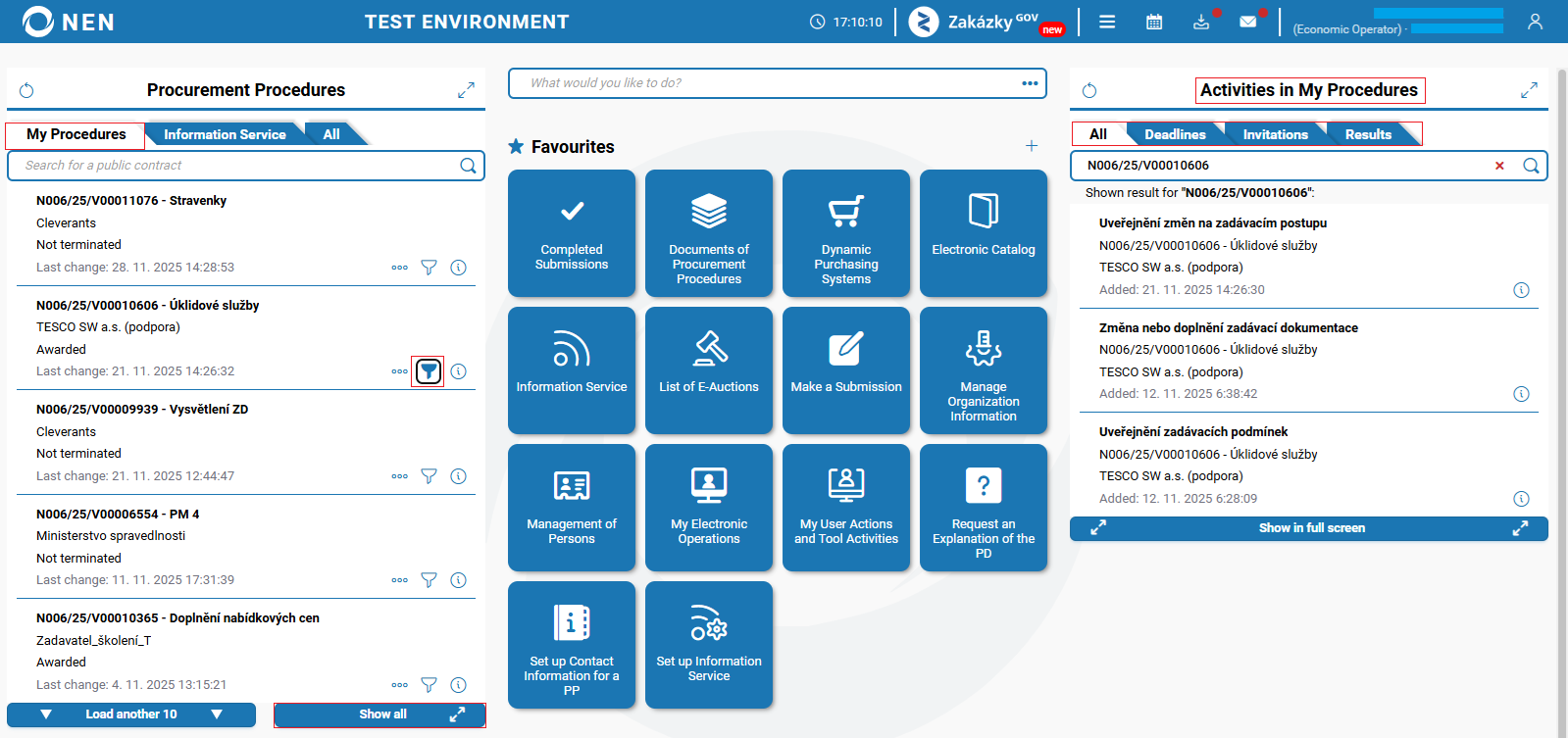
In the right part of the main screen, you will find the "Activities in My Procedures" tab. Here, you can access all publications and other structured information provided by a contracting authority (it only applies to procurement procedures assigned in the "My Procedures" section). After clicking on the "funnel" icon next to the respective procurement procedure in the left part of "Procurement Procedures", the right part of "Activities in My Procedures" will display past publications, active deadlines, etc.
All
This folder brings together all publications related to the procurement procedure, key deadlines, and invitations sent directly to you.
Deadlines
Only deadlines are displayed in this folder. Deadlines that expire the soonest are displayed first.
Clicking the “double arrow” icon opens the “Time limits” form.
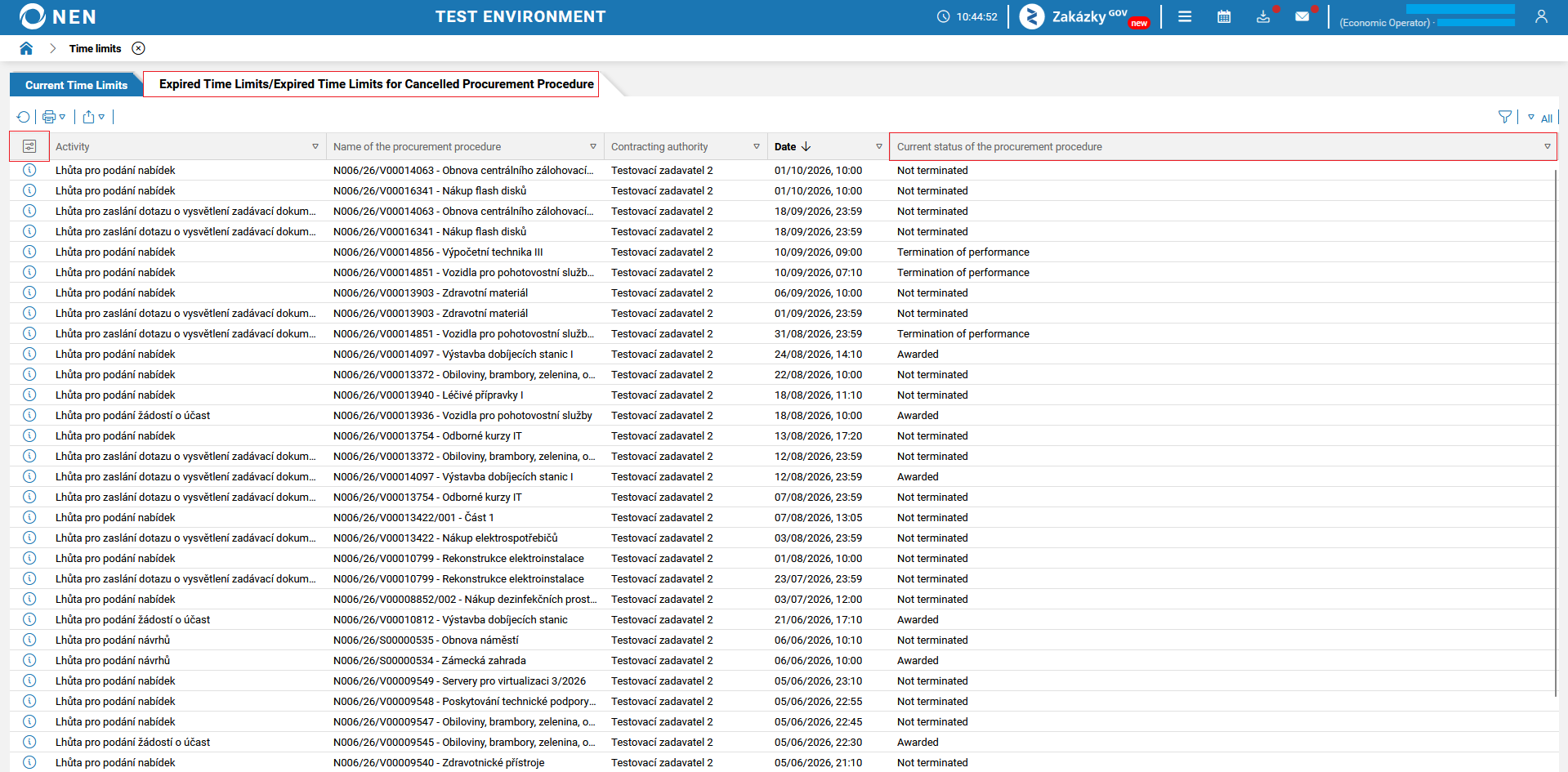
The “Time limits” form contains two folders: “Current Time Limits” and “Expired Time Limits/Expired Time Limits for Cancelled Procurement Procedures”.
The “Current Time Limits” folder does not display deadlines for procurement procedures that have been cancelled. It also does not display deadlines marked as not to be renewed, even if they would not yet have expired had the procurement procedure not been cancelled. This is because the deadlines may not be calculated correctly in the NEN system, as it is not possible to determine the day on which the deadlines would resume.

The “Expired Time Limits/Expired Time Limits for Cancelled Procurement Procedures” folder displays procurement procedures for which the deadline has already expired or which have been cancelled. For easier identification, we recommend adding the “Current status of the procurement procedure” column using the “square with two sliders” icon. This will help you identify the current status of procurement procedures more easily. Deadlines marked as not to be renewed are also displayed here.
Invitations
Here you can find, for example, an invitation to submit tenders that the contracting authority has sent directly to you.
Results
Here you can find information about the result of a procurement procedure after it has been published by the contracting authority.