Integration with the Zakázky GOV portal under the economic operator
The benefit of this change request is to connect messages sent and submissions made by economic operators from the Zakázky GOV portal to the NEN system.
Sending messages from the Zakázky GOV portal
The economic operator will be able to send a message within a public procurement procedure via the Zakázky GOV portal. This message will then be displayed to the contracting authority in the NEN system, where they will be able to respond to it.
Making submissions from the Zakázky GOV portal
-
Making submissions from the Zakázky GOV portal will be connected to the NEN system.
-
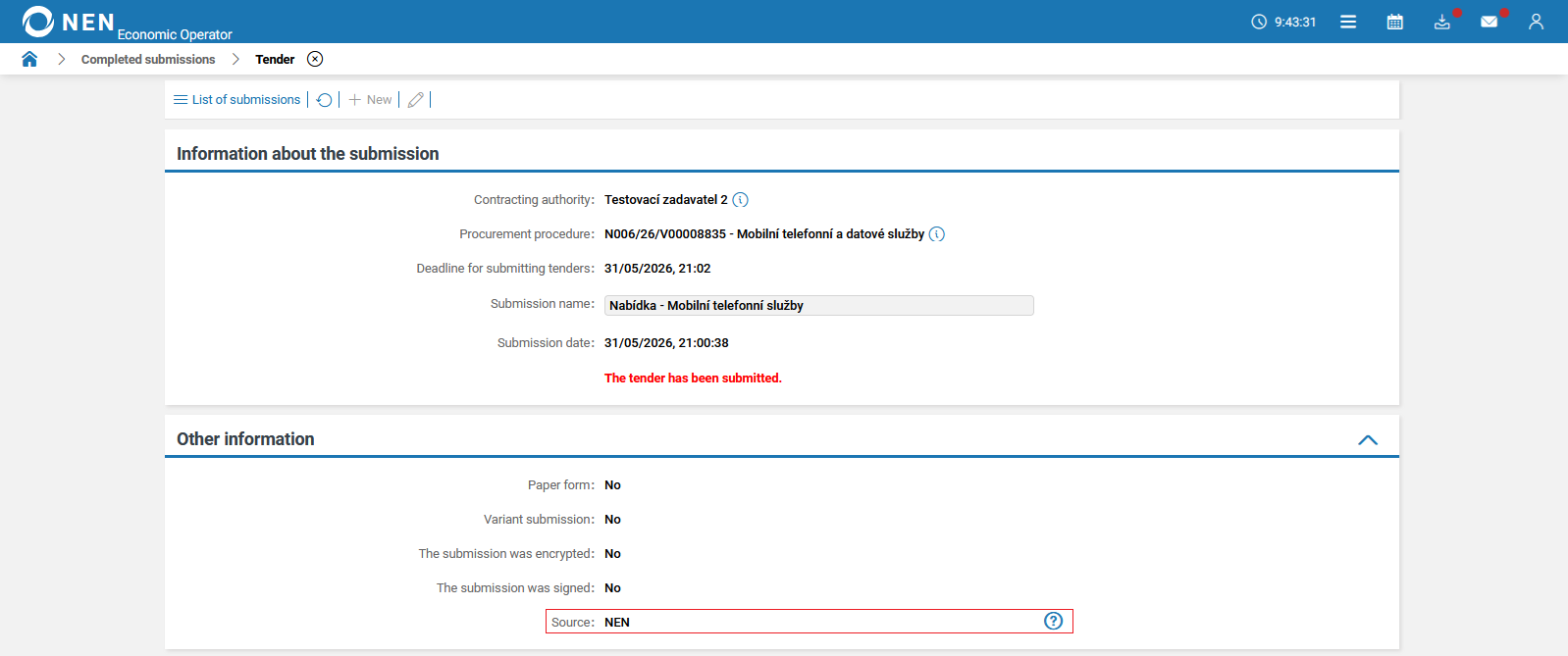
The economic operator will be able to make a submission via the Zakázky GOV portal. In this case, for better distinction, a “Source” field will be added to the “Completed submissions” and “Withdrawal” forms, as well as to forms for specific submission types in the “Other information” section. This field will indicate whether the source of the submission is the NEN system or the Zakázky GOV portal.
-
When using the “Withdraw submission” option for a submission made outside the NEN system, i.e. a submission made via the Zakázky GOV portal, an informational message will be displayed informing the user that such a submission cannot be withdrawn.
-
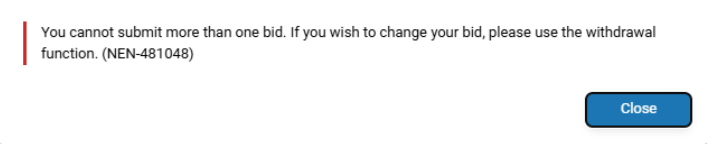
The NEN system will include validation preventing duplicate submissions in cases where the economic operator has already submitted their submission via the Zakázky GOV portal. When attempting to make a submission to the same procurement procedure in the NEN system, an informational message will be displayed with the following text: “You cannot submit more than one bid. If you wish to change your bid, please use the withdrawal function. (NEN-481048)”.
-
If the NEN System User submits their first submission within a procurement procedure in the NEN system and subsequently, by mistake, makes another submission to the same procurement procedure via the Zakázky GOV portal, a notification message will be delivered in the NEN system informing them that a duplicate submission has been detected.
-
If a submission is made via the Zakázky GOV portal, the procurement procedure will then be automatically added and displayed in the “My Procedures” tab.
-
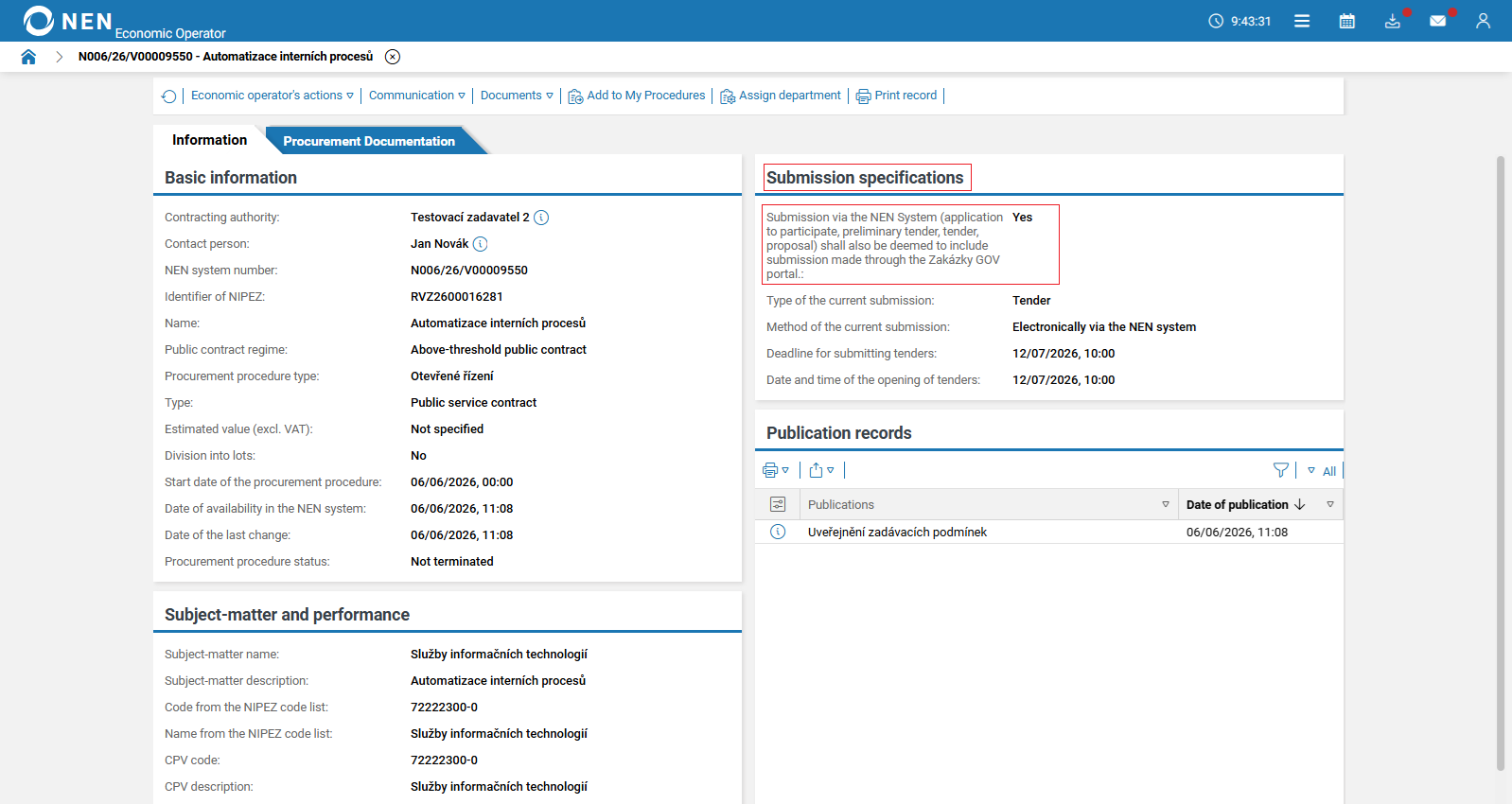
In the procurement procedure detail, within the “Submission specifications” section, the following information will be displayed: “Submission via the NEN System (application to participate, preliminary tender, tender, proposal) shall also be deemed to include submission made through the Zakázky GOV portal.” The “Yes” status will be displayed, and it will be possible to submit within such a procurement procedure via the Zakázky GOV portal.
Promotion of the Zakázky GOV portal under the economic operator
The benefit of this change request is the addition of links to the Zakázky GOV portal in the NEN system as part of onboarding economic operator users to the new portal within the NIPEZ ecosystem.
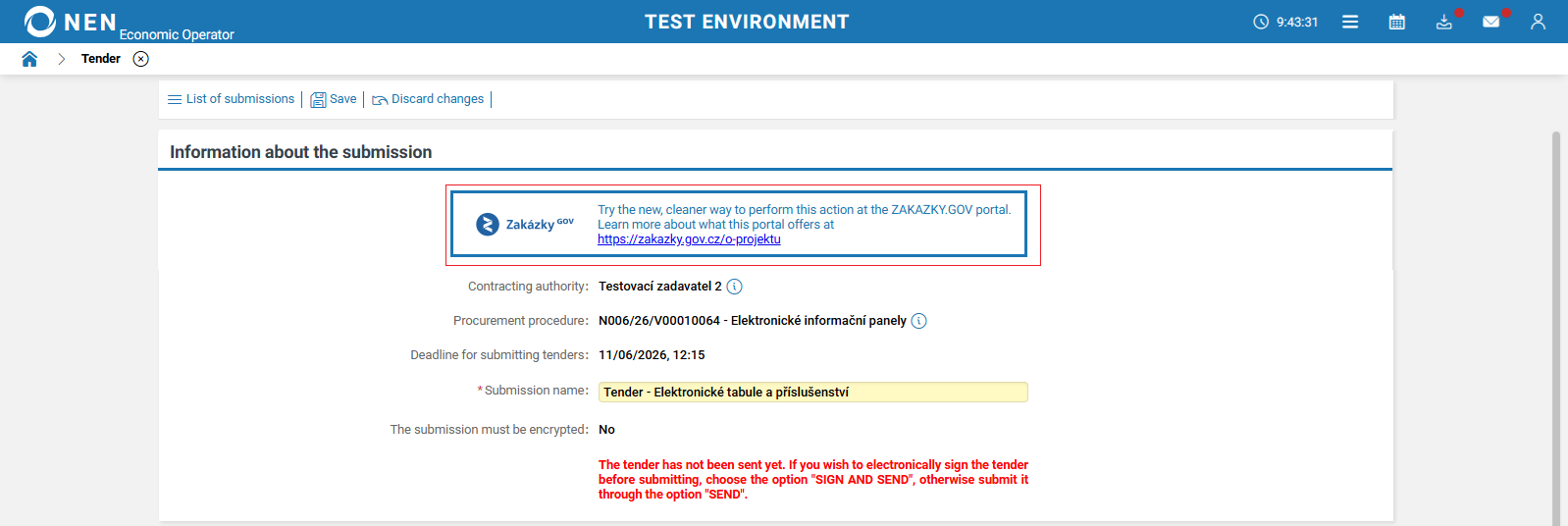
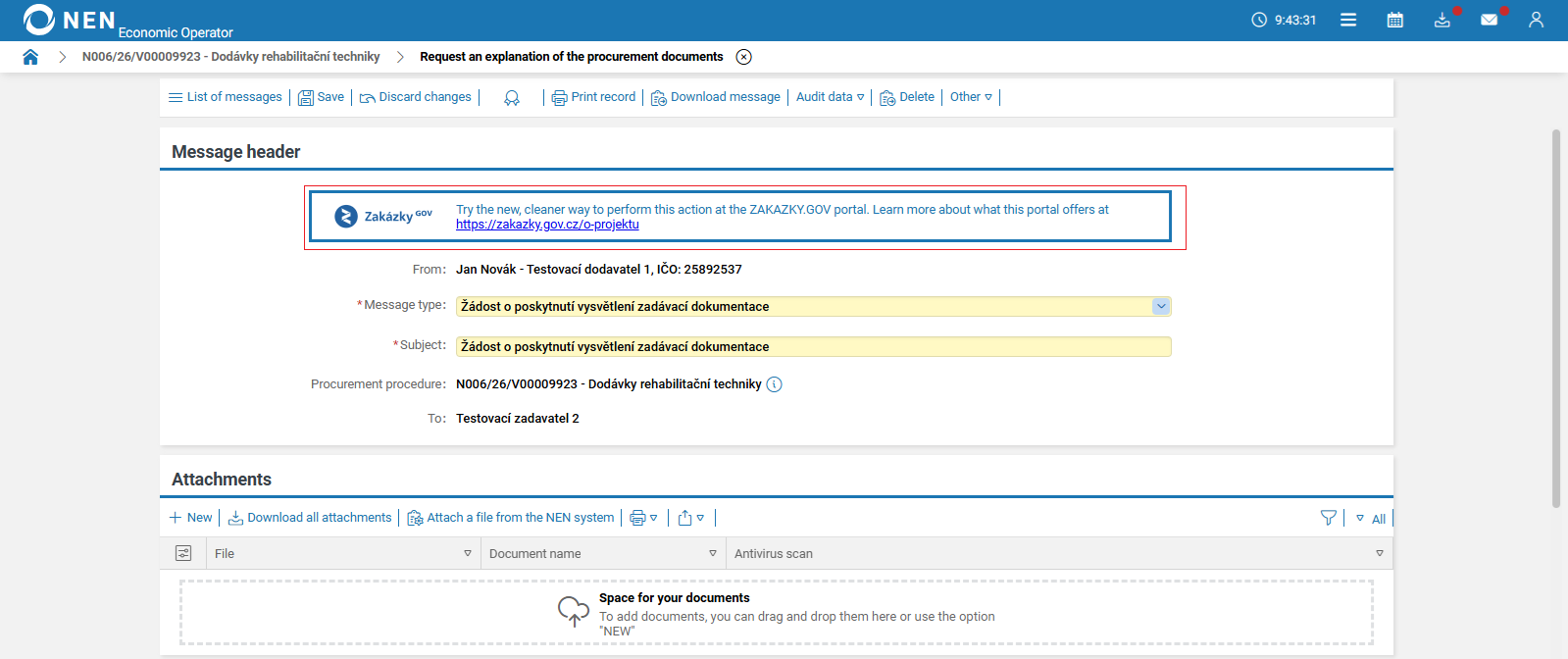
If a NEN System User performs a relevant action that can be carried out via the Zakázky GOV portal, information with a link to this portal will be displayed in the action form.
This applies to the following types of actions:
-
all types of submissions,
-
messages such as:
-
objection to the contracting authority,
-
request design contest conditions,
-
request an explanation of design contest conditions,
-
request access to tender data,
-
request the procurement documents
-
request an explanation of the procurement documents,
-
request access to a document,
-
others.
A link to the Zakázky GOV portal will be available in the main panel.

When hovering over the link, the following tooltip will be displayed:
"A new portal that brings together information on public procurement from various electronic tools, makes searches easier, and enables complete electronic communication between suppliers and contracting authorities."
Improved qualification system under the economic operator
The benefit of this change request is to enable traceable communication between the contracting authority and the economic operator within the qualification system, improving the transparency of document exchange and the auditability of communication.
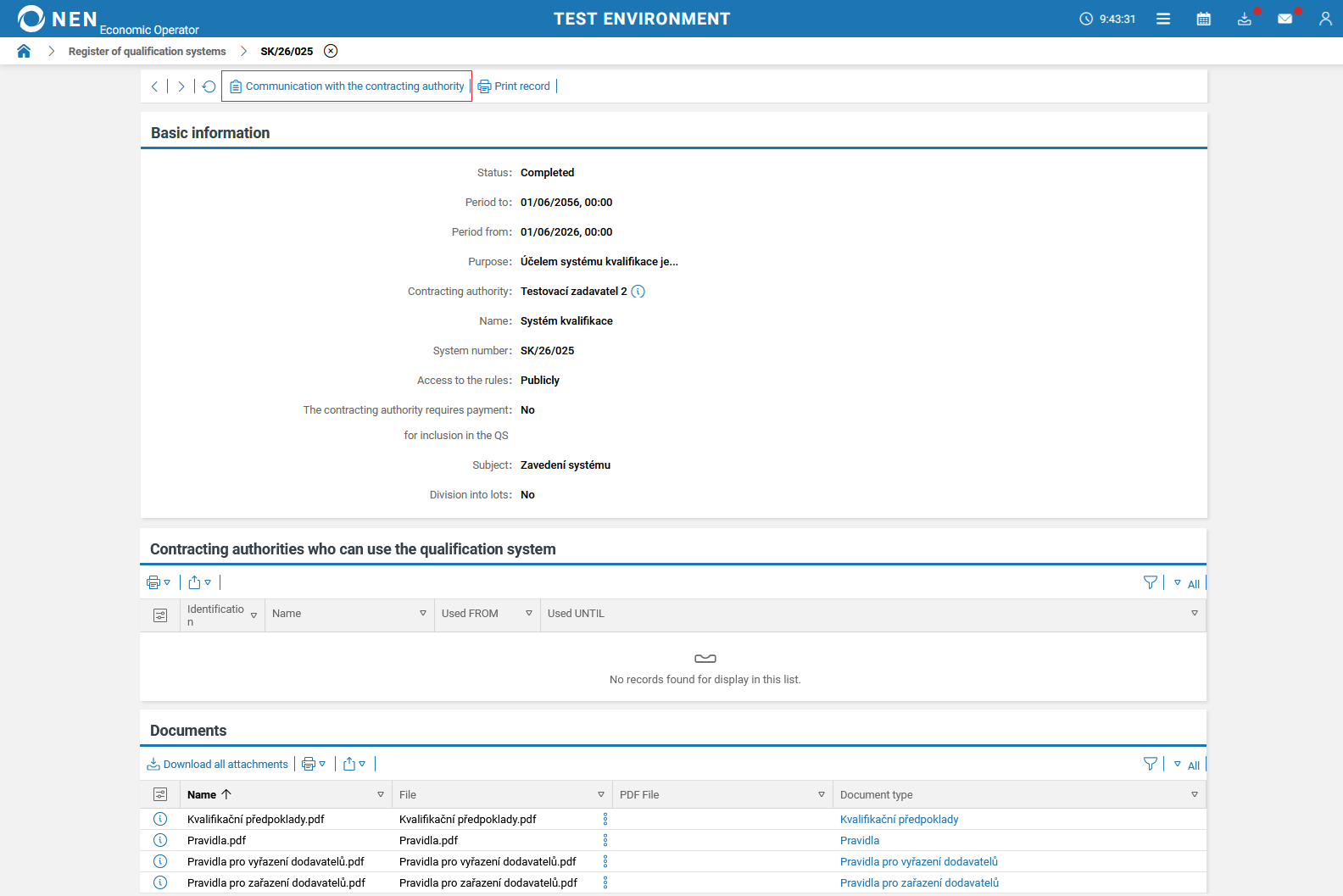
A new “Communication with the contracting authority” button will be added to the top toolbar to enable communication.
After clicking the “Communication with the contracting authority” button, a list view will be displayed with the same communication functionality as in a procurement procedure.
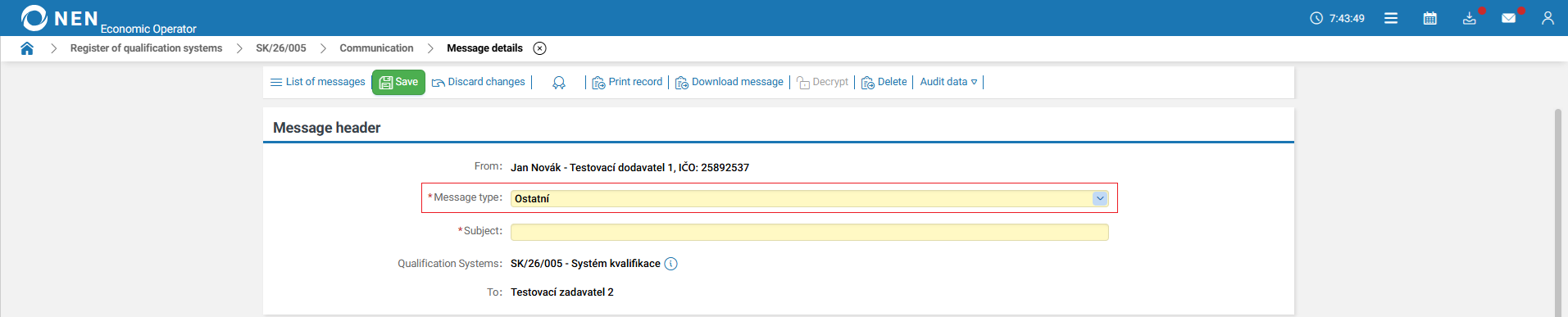
The NEN System User will be able to send messages and will be able to use the “Ostatní” (Others) message type.
Display of the last login date of the NEN System User under the economic operator
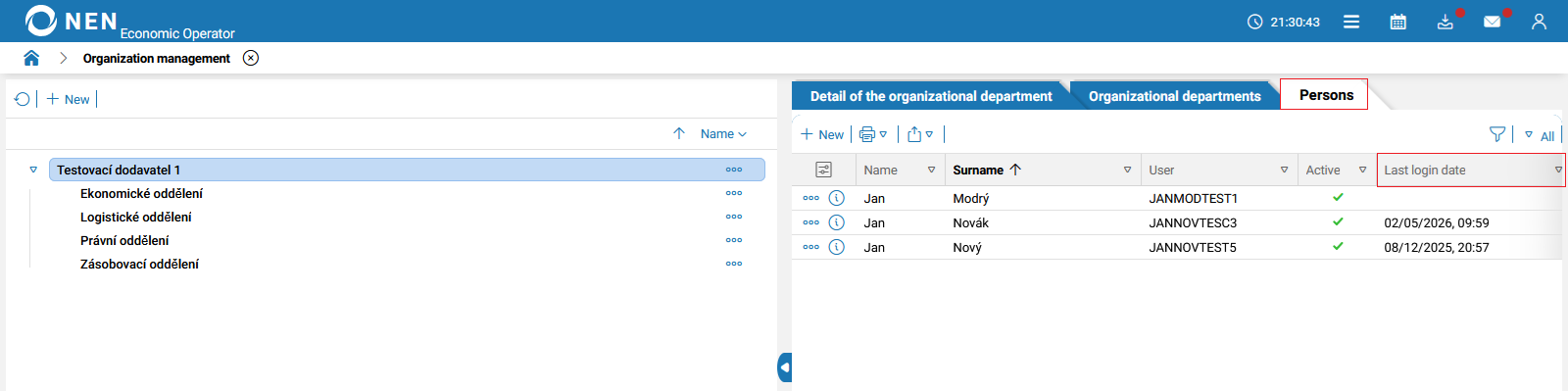
The benefit of this change request is to add a column displaying the date of the last login of the NEN System User to the “Organization management” form.
If the NEN System User has never logged in to the system, the column will remain empty. Otherwise, the date and time of the last login will be recorded.
Automatic assignment of the "Participant in a procurement procedure" role
The benefit of this change request is to automatically assign the Participant in a procurement procedure role to the NEN System User.
A NEN System User is automatically assigned the “Participant in a procurement procedure” role if they do not already have it, provided that they have the role of entity’s administrator and are the only user within the organization.
Removal of personal data visibility settings and related permission settings under the economic operator
The benefit of this change request is to remove the possibility of defining which personal data will be visible within the organization and outside the organization.
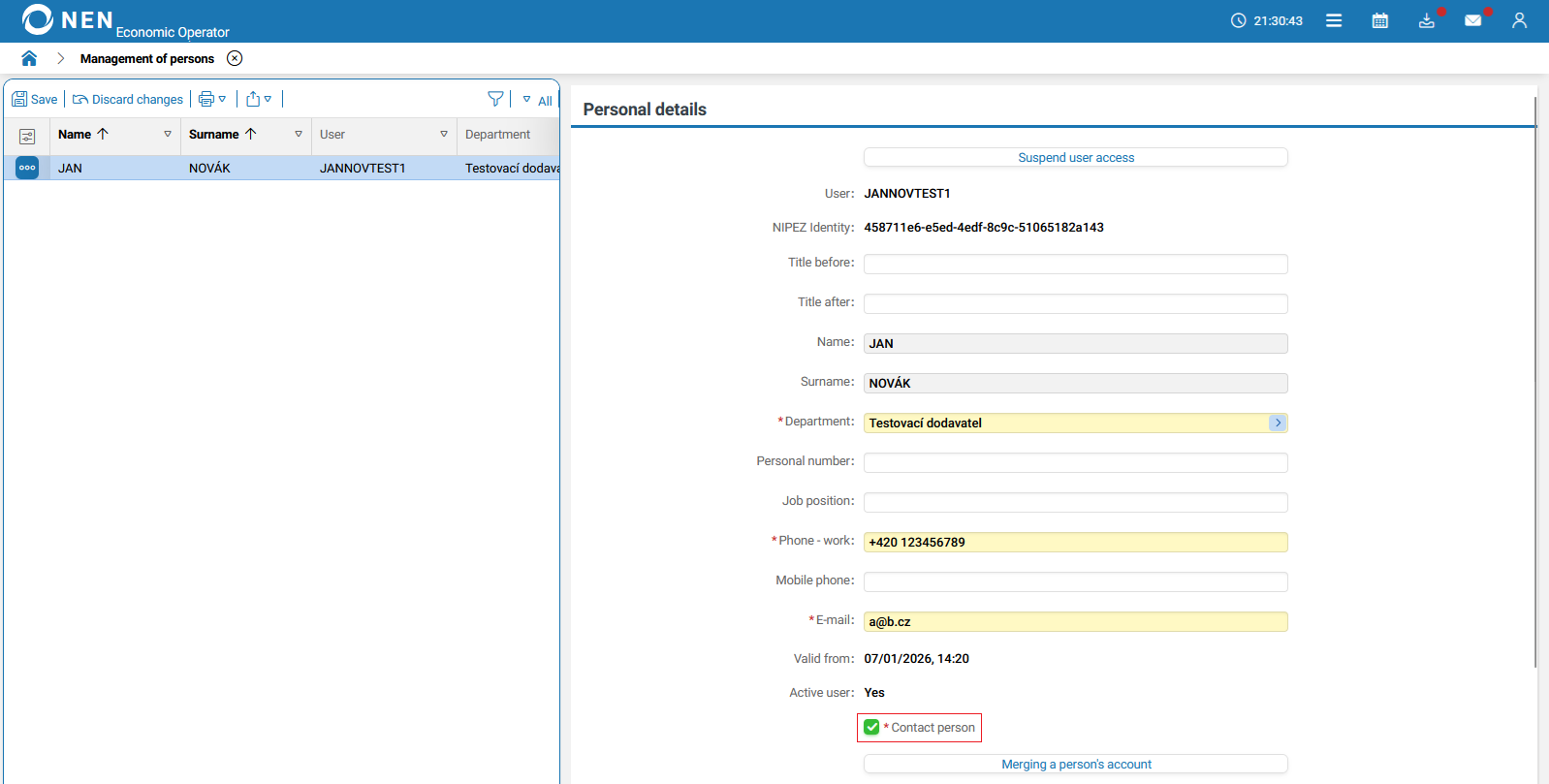
The entity’s administrator will continue to determine whether the NEN System User is displayed among the organization’s contact persons on the public portal of the NEN system. The visibility of all personal data will depend solely on whether the “Contact person” option is set to a “check mark” for visibility or a “cross” for hiding this information.
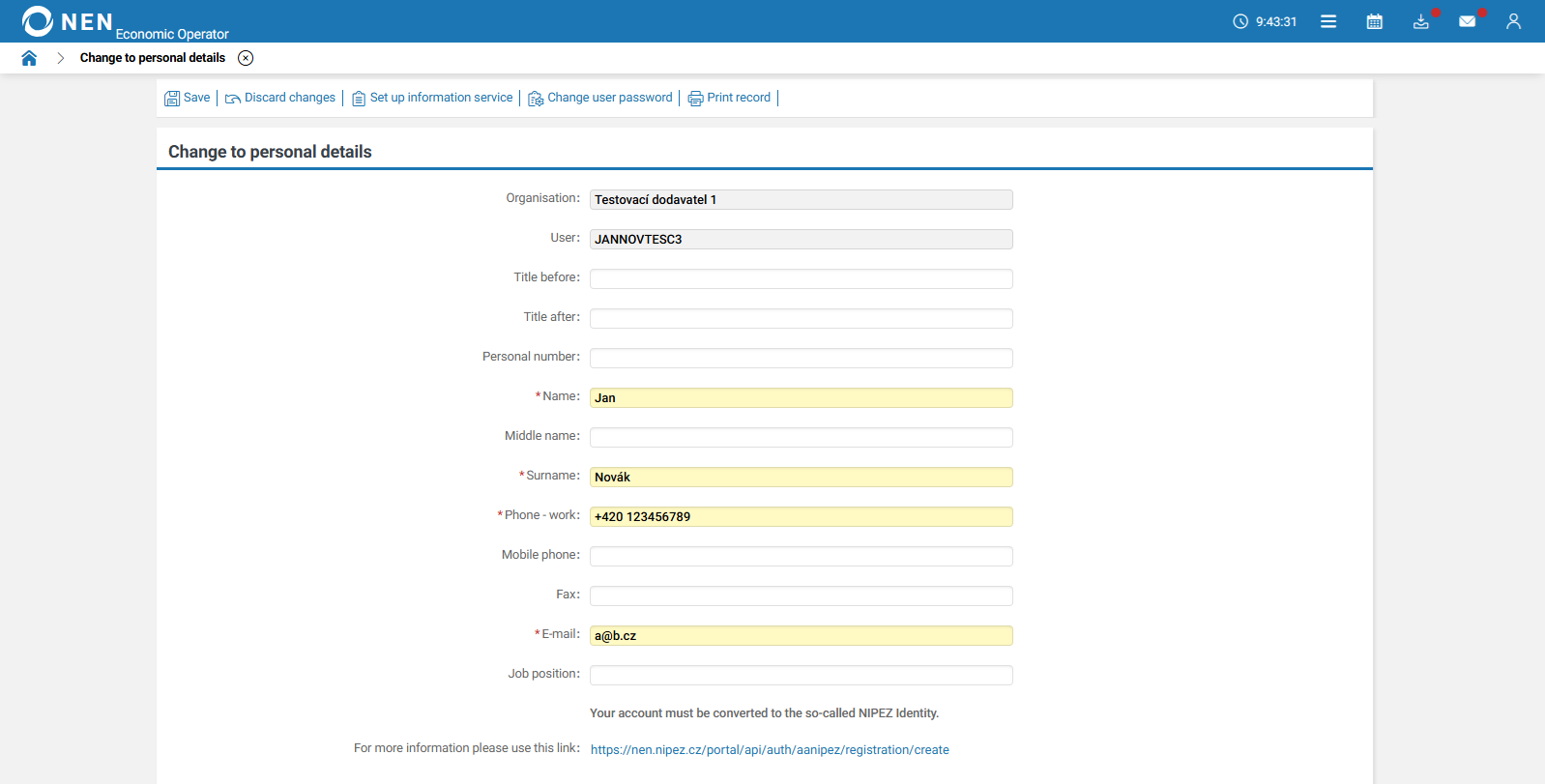
After clicking the “Settings” button next to the user icon in the top-right menu of the screen, the “Change to personal details” form will be displayed.
Copying of My Procedures
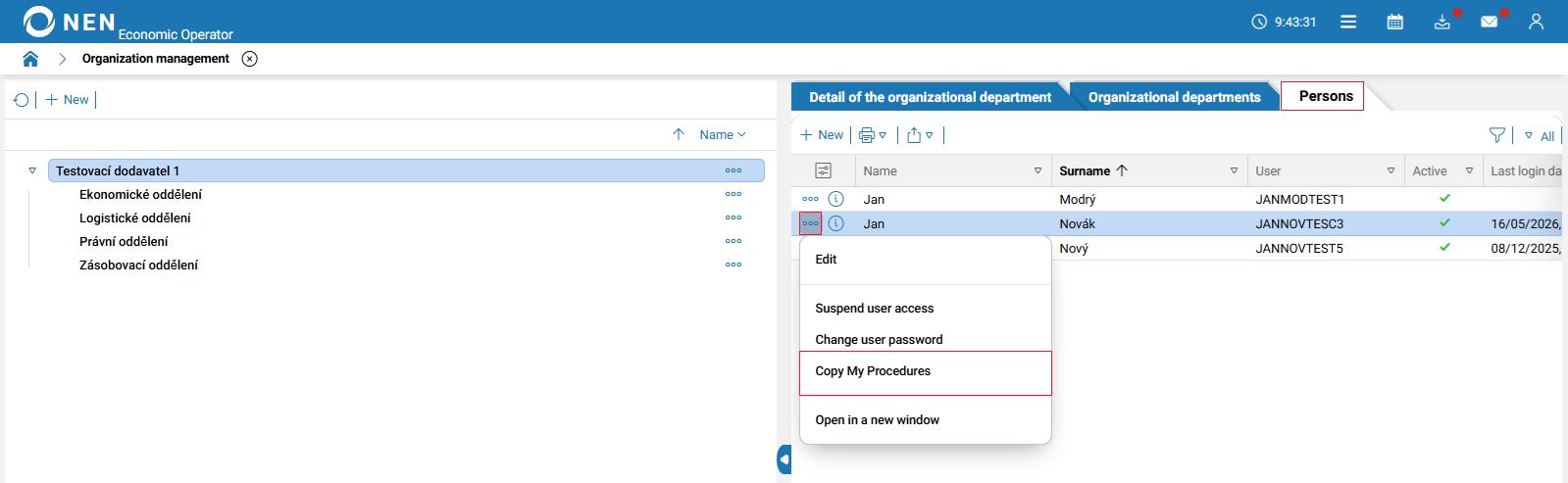
The benefit of this change request is to enable the transfer of My Procedures between NEN System Users.
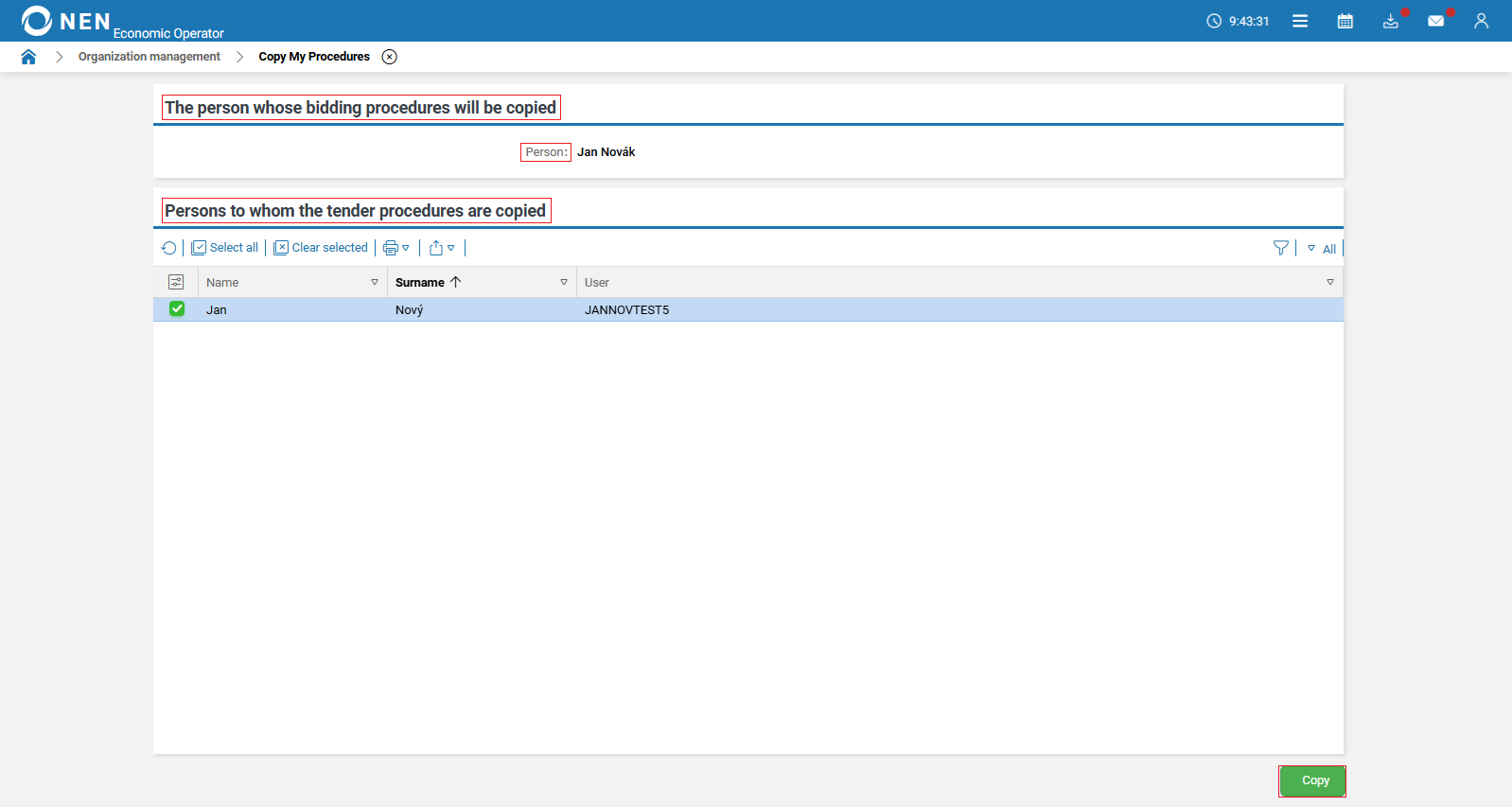
On the “Organization management” form, in the “Persons” tab, clicking the “three dots” icon for a given NEN System User will display the “Copy My Procedures” option.
After clicking this option, a form with the same name will be displayed. Under the section “The person whose bidding procedures will be copied”, the “Person” field will show the user from whom all procurement procedures assigned under the “My Procedures” tab will be copied to all selected users in the “Persons to whom the tender procedures are copied” section. This option will be added in multiple locations within “Organization management”.