
Visibility of all historical data for a newly created NEN System User
The benefit of this change request is to make procedures in “My Procedures” from another NEN System User available to a newly created NEN System User in bulk, together with activities and related communication.
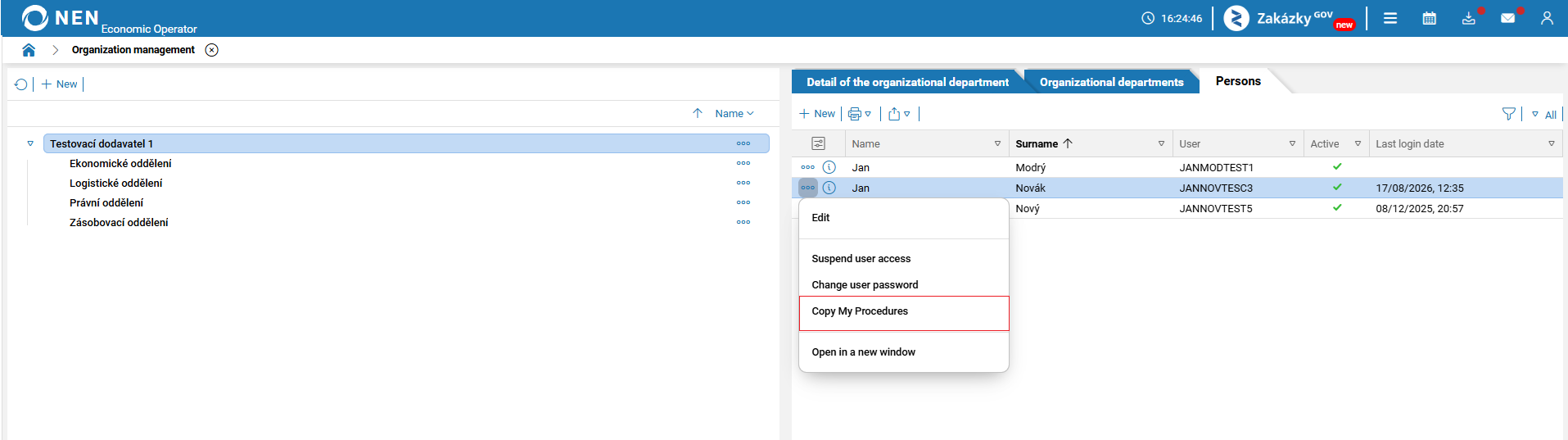
On the “Organization management” form, the “Copy My Procedures” function will allow communication records to be transferred together with procurement procedures, provided that the communication is linked to the procurement procedure. On the “Copy My Procedures” form, a “Copy communication” checkbox will be added to the “The person whose bidding procedures will be copied” section, together with a tooltip hidden under the question mark icon and the following accompanying text: “If you want to copy the person's communication, the flag must be checked.”
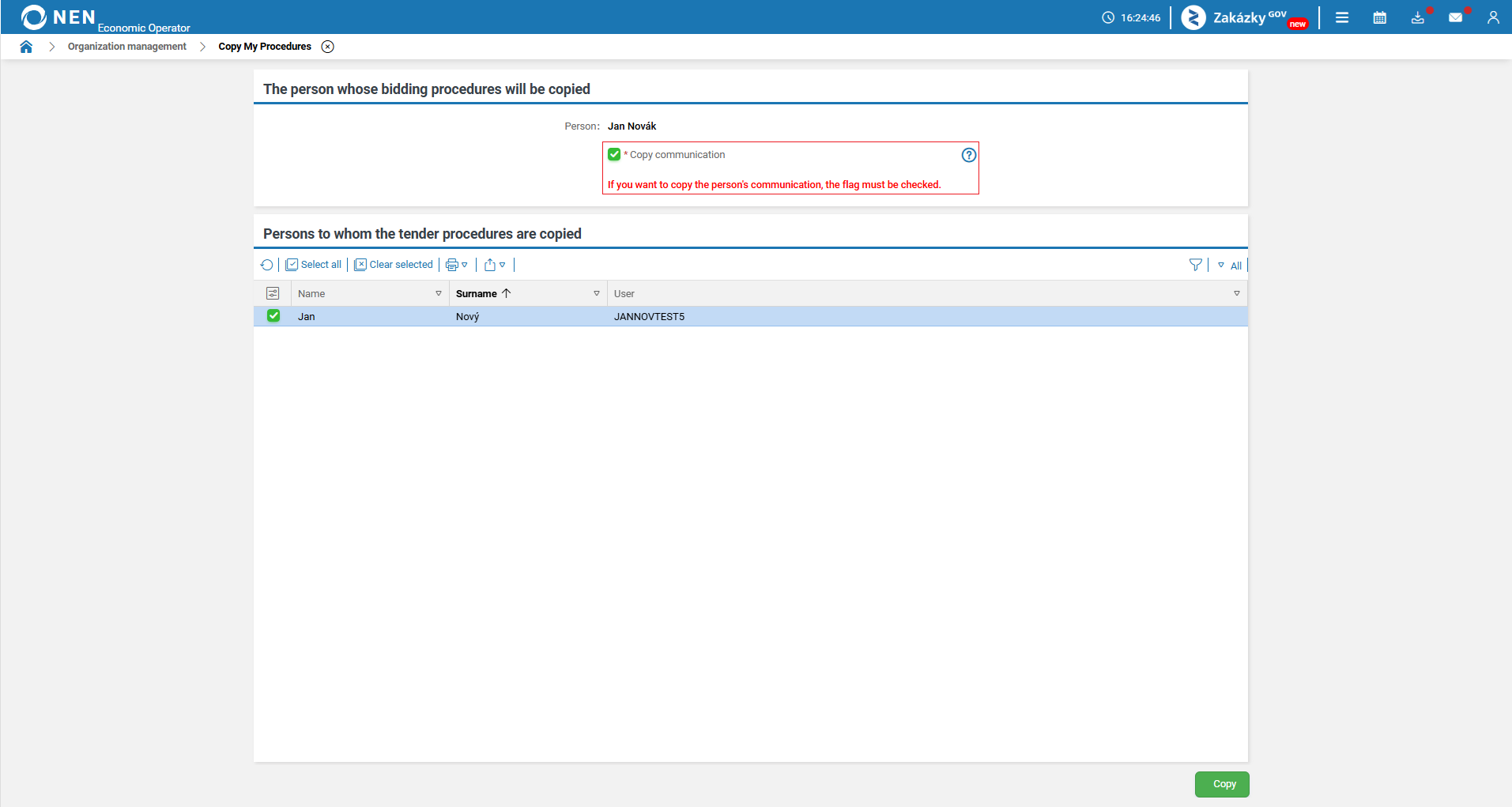
The NEN System User will thus have communication from the source person available in the “Inbox” section.
Integration with the Zakázky GOV portal under the economic operator - 7. 8. 2026
The benefit of this change request is to ensure compatibility of an economic operator’s submission to a procurement procedure divided into lots from the Zakázky GOV portal to the NEN system.
When making a submission to a procurement procedure divided into lots, the economic operator makes a separate submission for each lot.

This change request was deployed on 7 August 2026. It is included here for information purposes only.
Improved clarity of switching between user accounts of different organizations under the economic operator
The benefit of this change request is to ensure that a NEN System User registered under multiple organizations can always clearly identify under which organization they are currently acting on behalf of and performing actions in the NEN system.
The name of the currently logged-in organization will therefore be displayed permanently in the top toolbar of the NEN system. The NEN System User will thus have visual confirmation throughout their work in the NEN system of the name of the entity on whose behalf they are performing actions.
Example of the displayed toolbar in the production environment.
