
This functionality is used to assign a procurement procedure to a specific department within the economic operator’s organizational structure.
-
In the top toolbar of the selected procurement procedure, click “Assign department”.
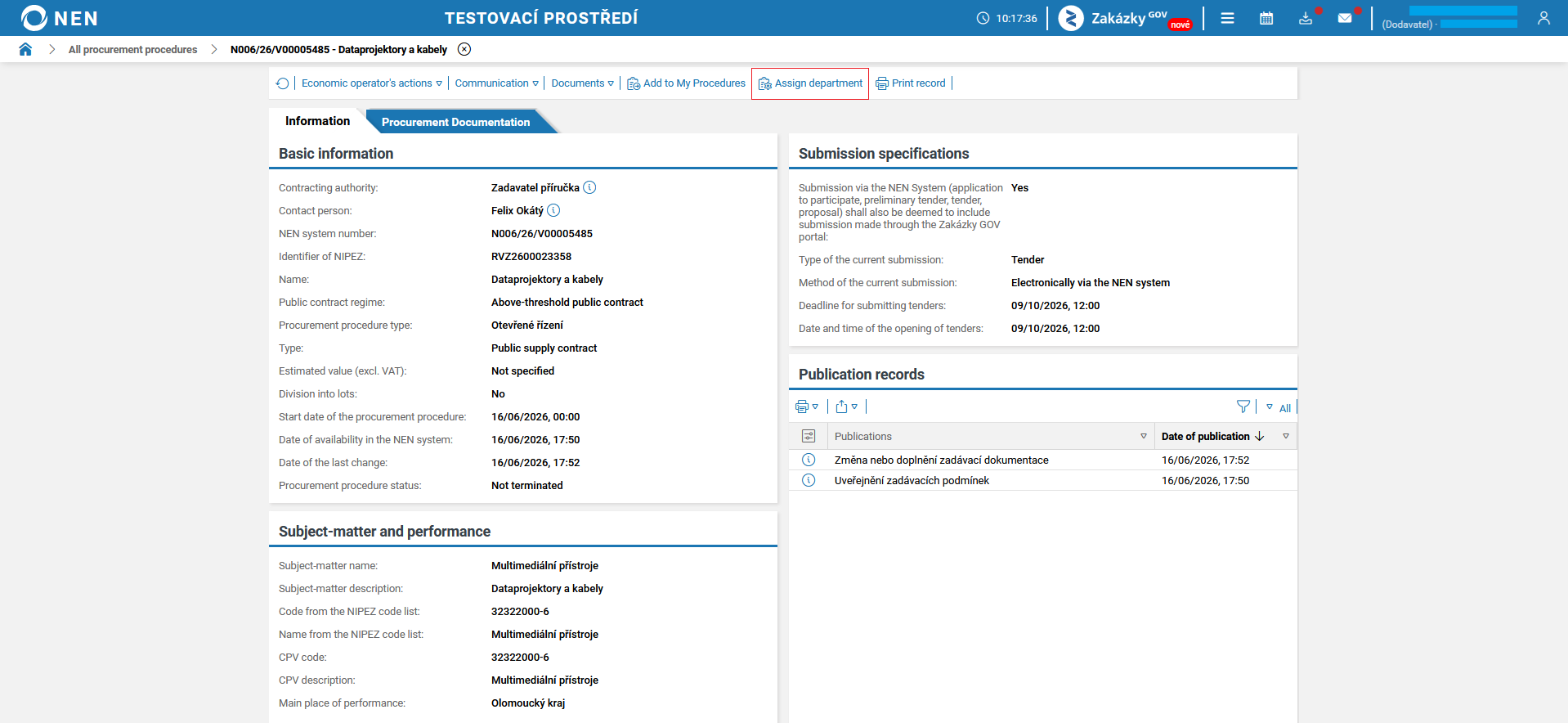
-
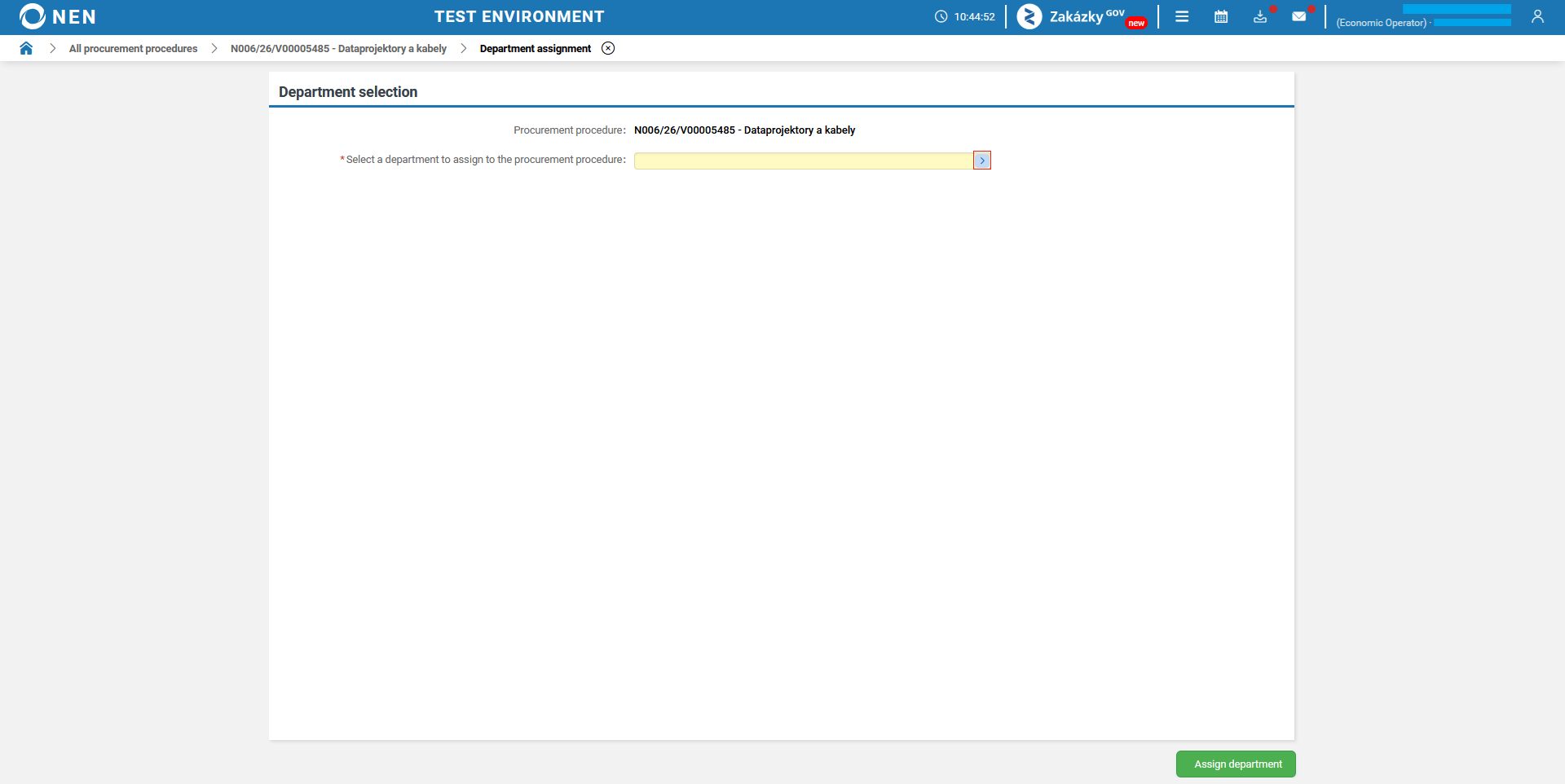
The “Department assignment” form will be displayed, where you can select a department for the given procurement procedure.
-
The “Selection of department” form will be displayed. Click the “Select” button to choose a department from the organizational structure tree.

-
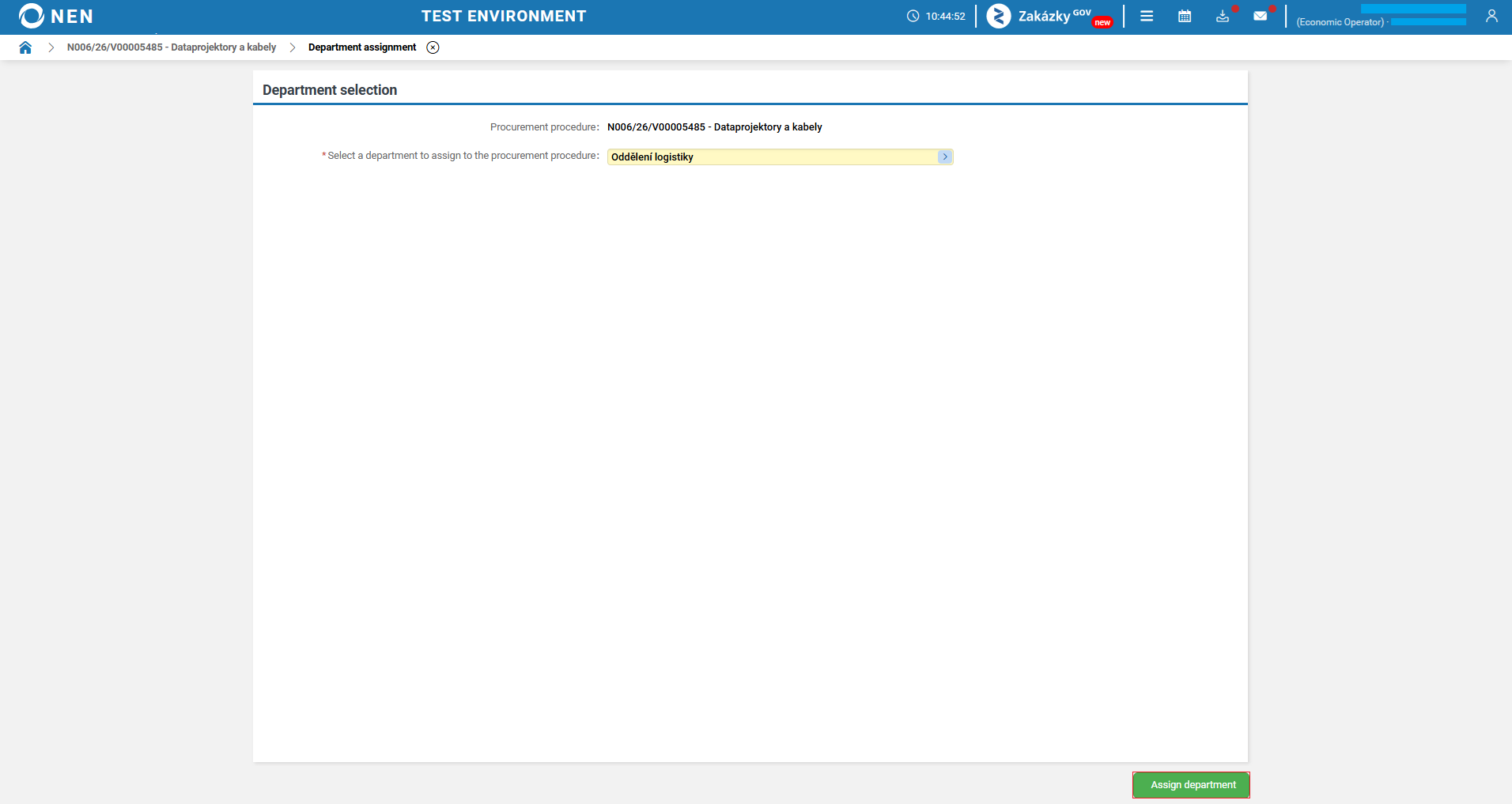
After selecting the department, click the “Assign department” button.
-
An informational message will be displayed. Confirm it by clicking the “YES” button.

-
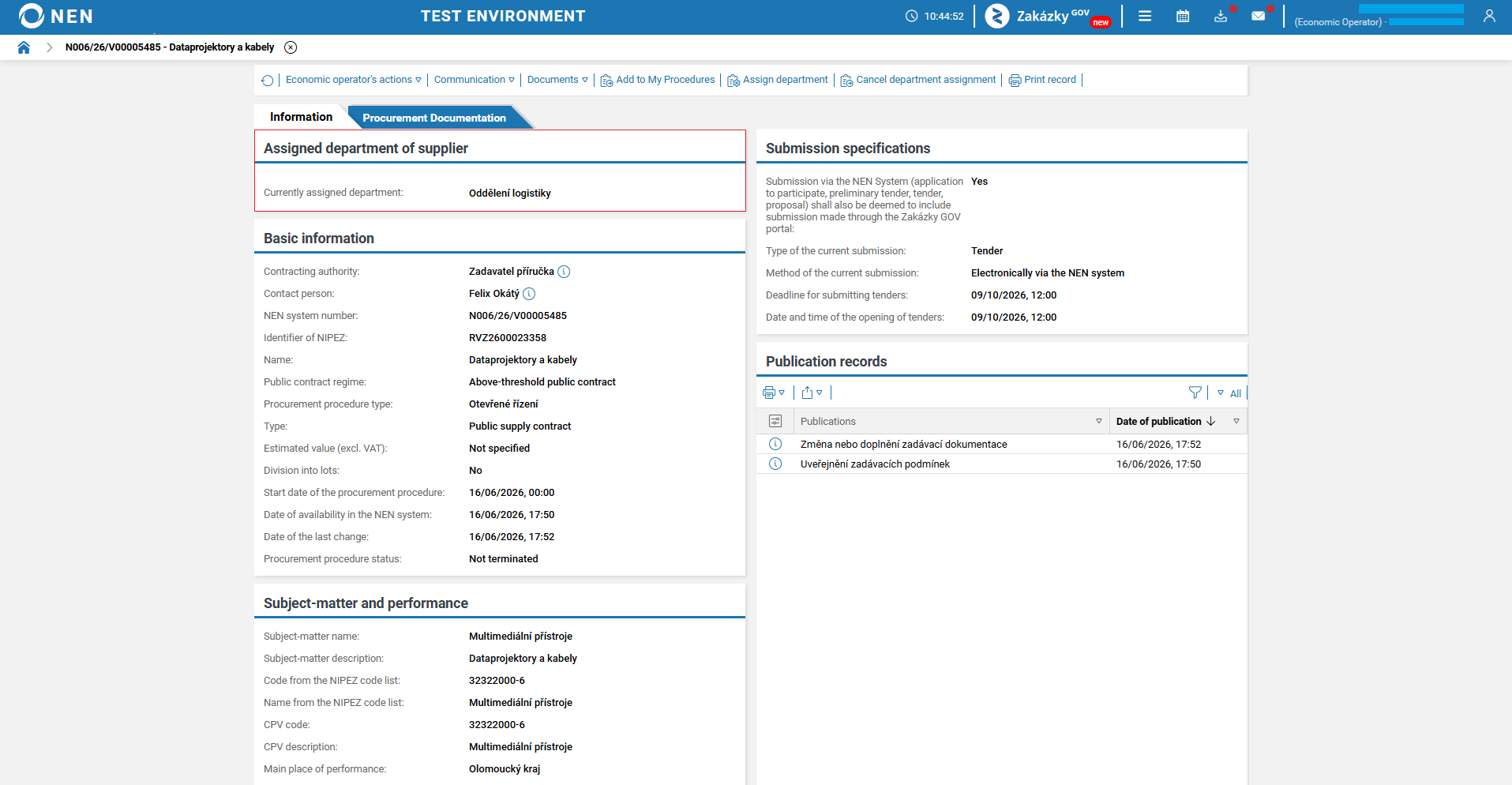
The “Assigned department of supplier” section will be displayed in the procurement procedure, showing information about the currently assigned department.
After a department has been assigned, a notification informing them of the assignment will be sent to NEN System Users in that department who have the “Participant in a procurement procedure” role. If the procurement procedure is reassigned to another department, an additional notification informing them that the department has been removed will be sent.
Assigning a procurement procedure to a specific department only restricts the notifications sent to the selected department. Other departments retain the right to view the procurement procedure and perform actions in it.