The “Request Access to a Document” function allows an economic operator to request access to a specific document from the contracting authority through communication within a procurement procedure, if they do not have automatic access to it.
-
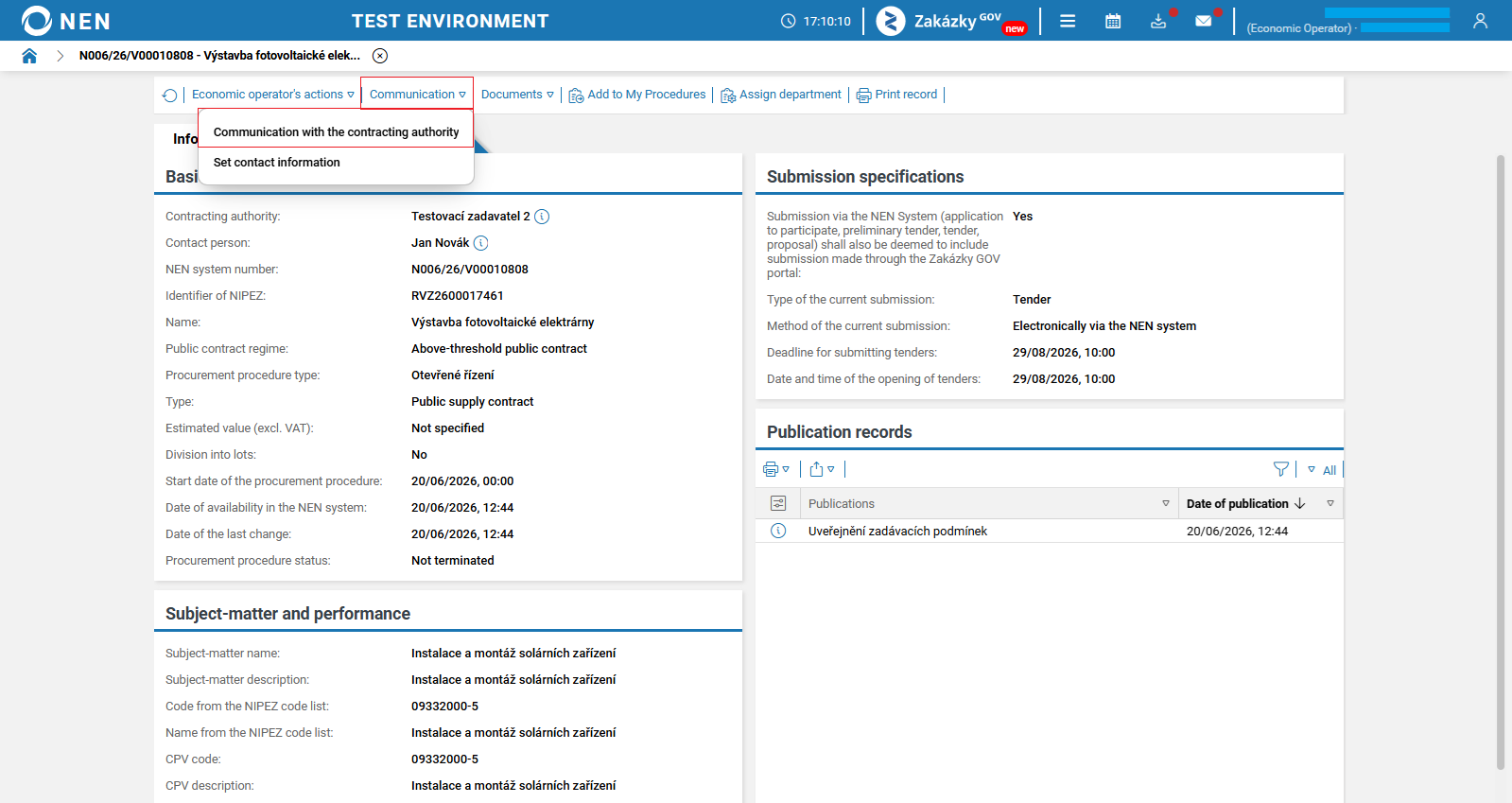
In the procurement procedure detail, under the “Communication” option, click the “Communication with the contracting authority” button.
-
The “Communication” form will be displayed. Click the “New” button to create a new message.

-
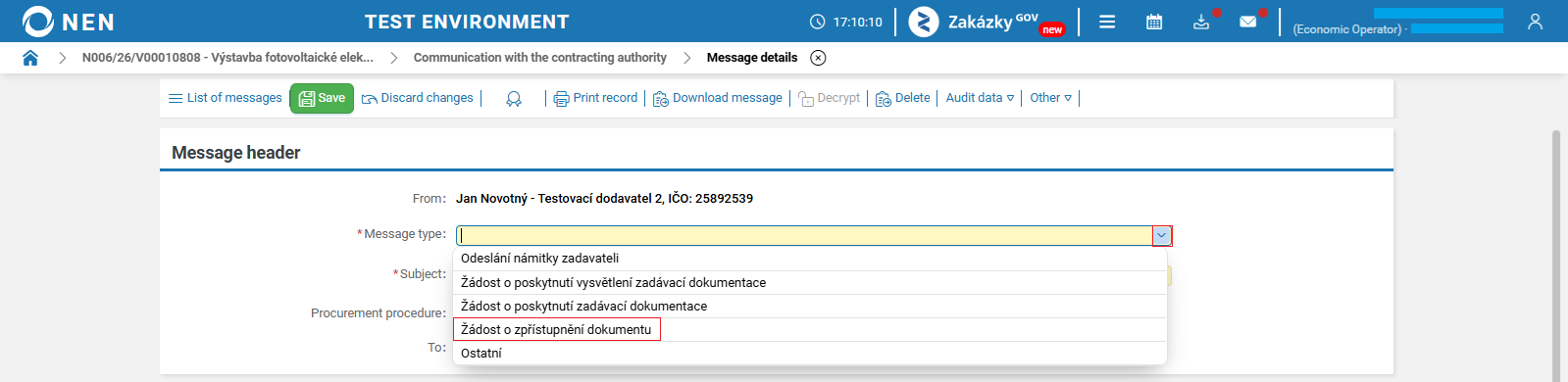
The “Message details” form will be displayed. Select “Žádost o zpřístupnění dokumentu” as the “Message type”.
-
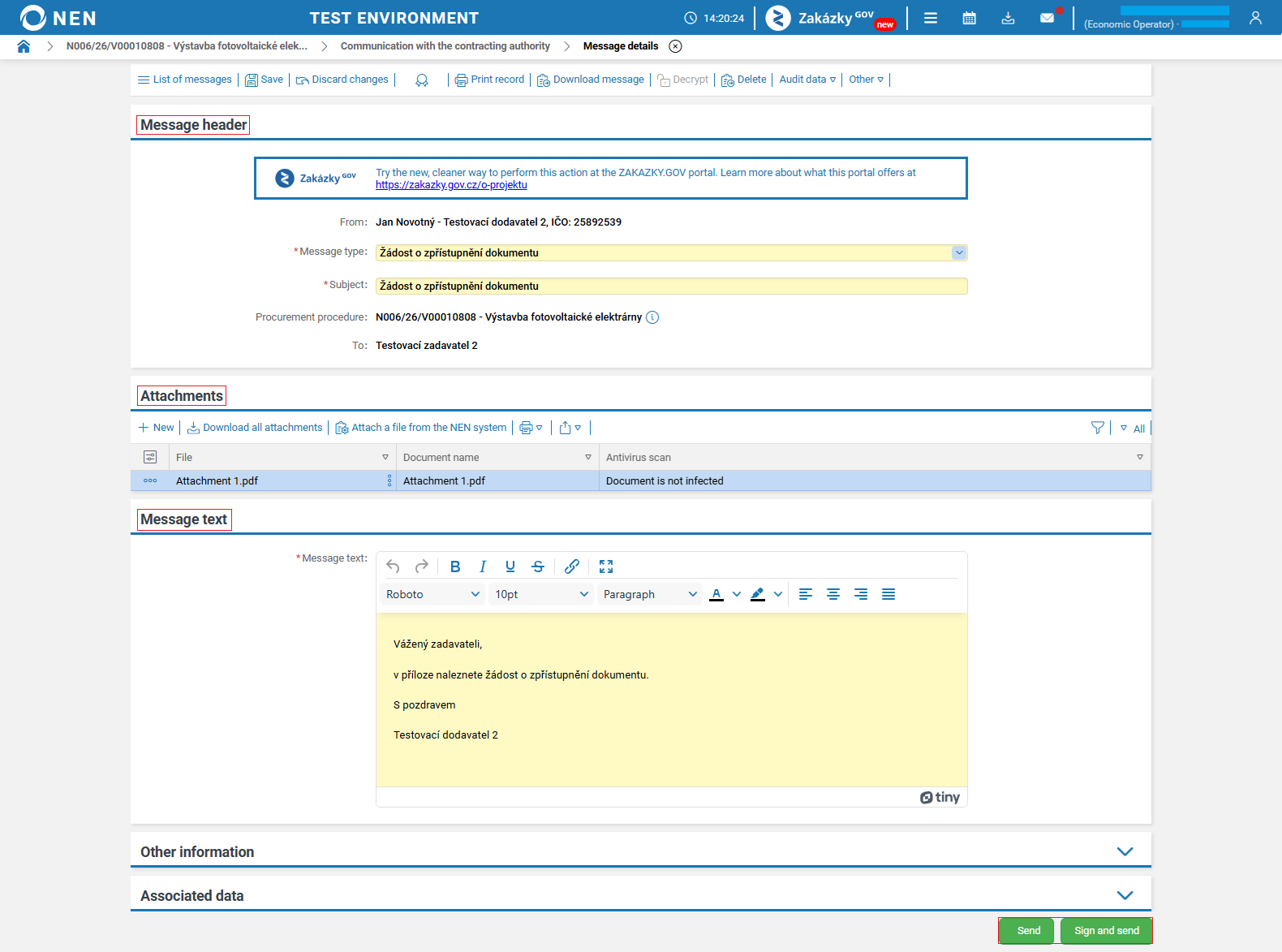
In this form, the “Message header” and “Message text” sections are pre-filled (you can modify this text).
-
In the “Attachments” section, you can upload document/s.
-
You can send the request for access to a document using the “Send” or “Sign and send” button. After clicking “Sign and Send”, the NEN system will prompt you to insert a signing certificate. In this case, signing add-ons must be installed (available for download here).
-
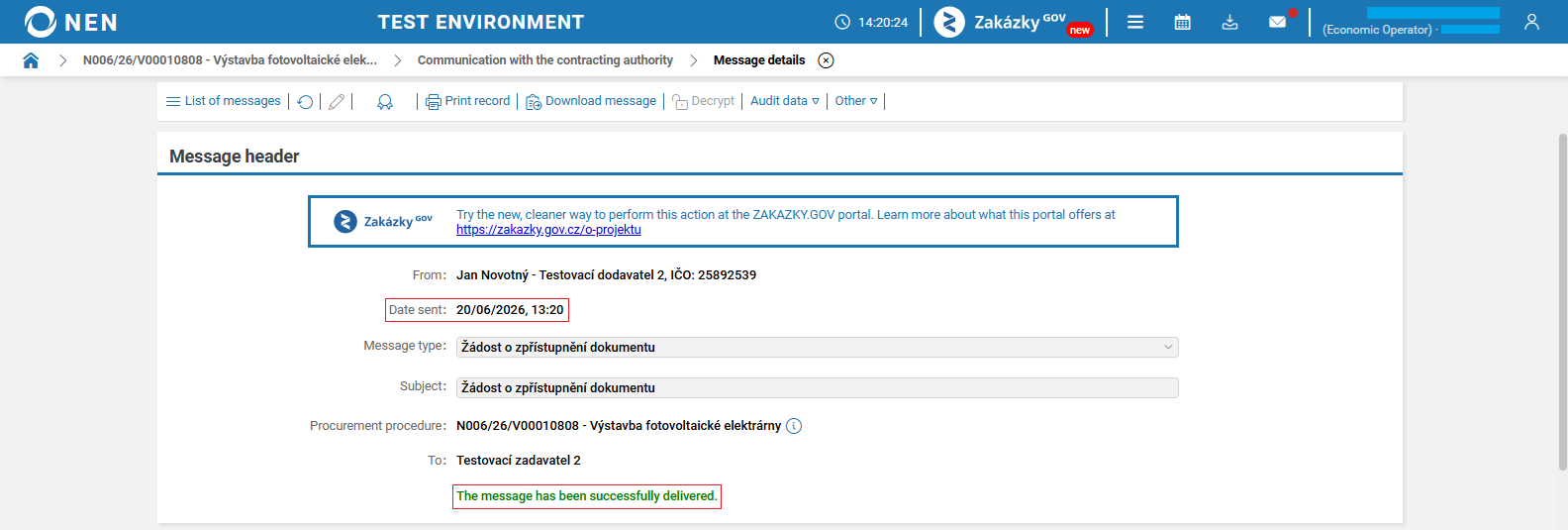
After sending the request, the send date will be displayed in the form, and a green message “The message has been successfully delivered.” will appear.
-
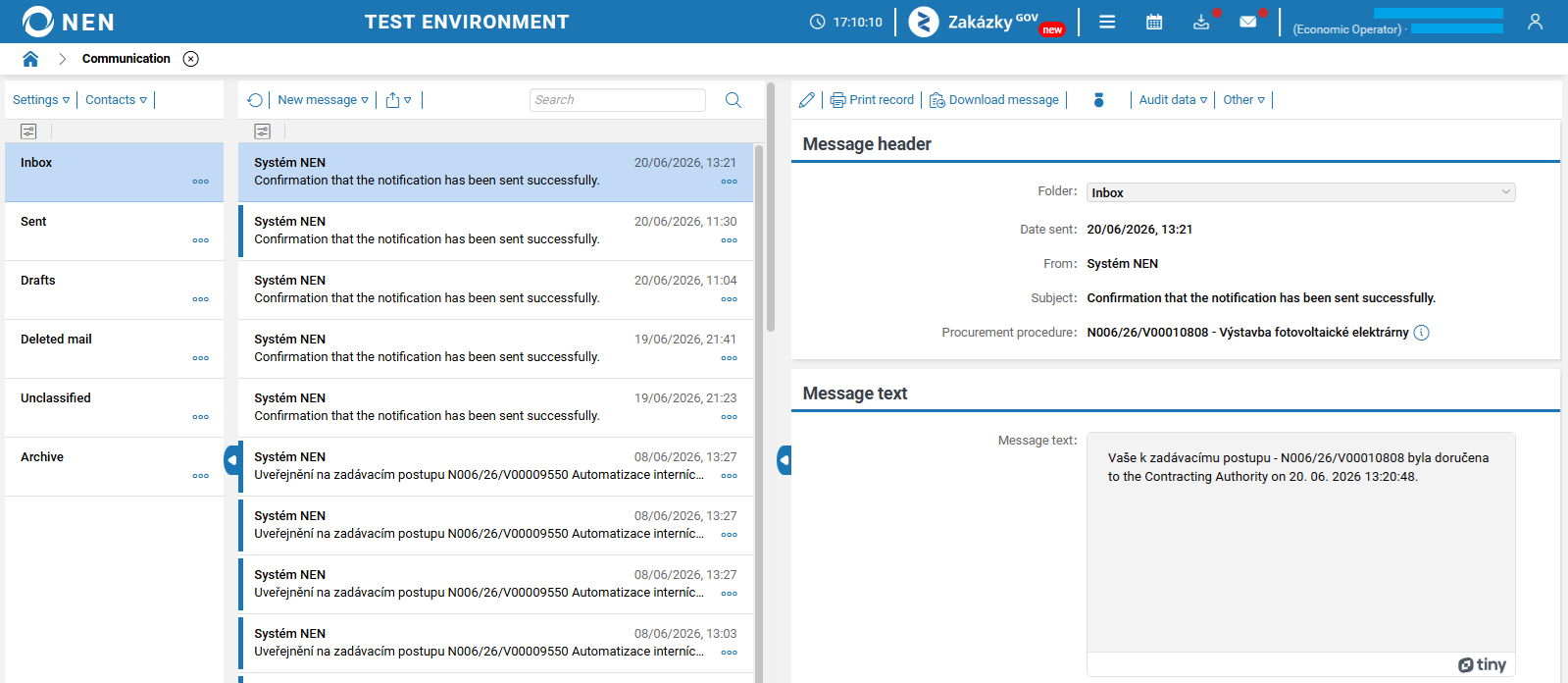
You will subsequently receive a notification in your internal mailbox confirming the successful delivery of the request.
Other information
Provision of an accessible document by the contracting authority
Provision of an accessible document by the contracting authority
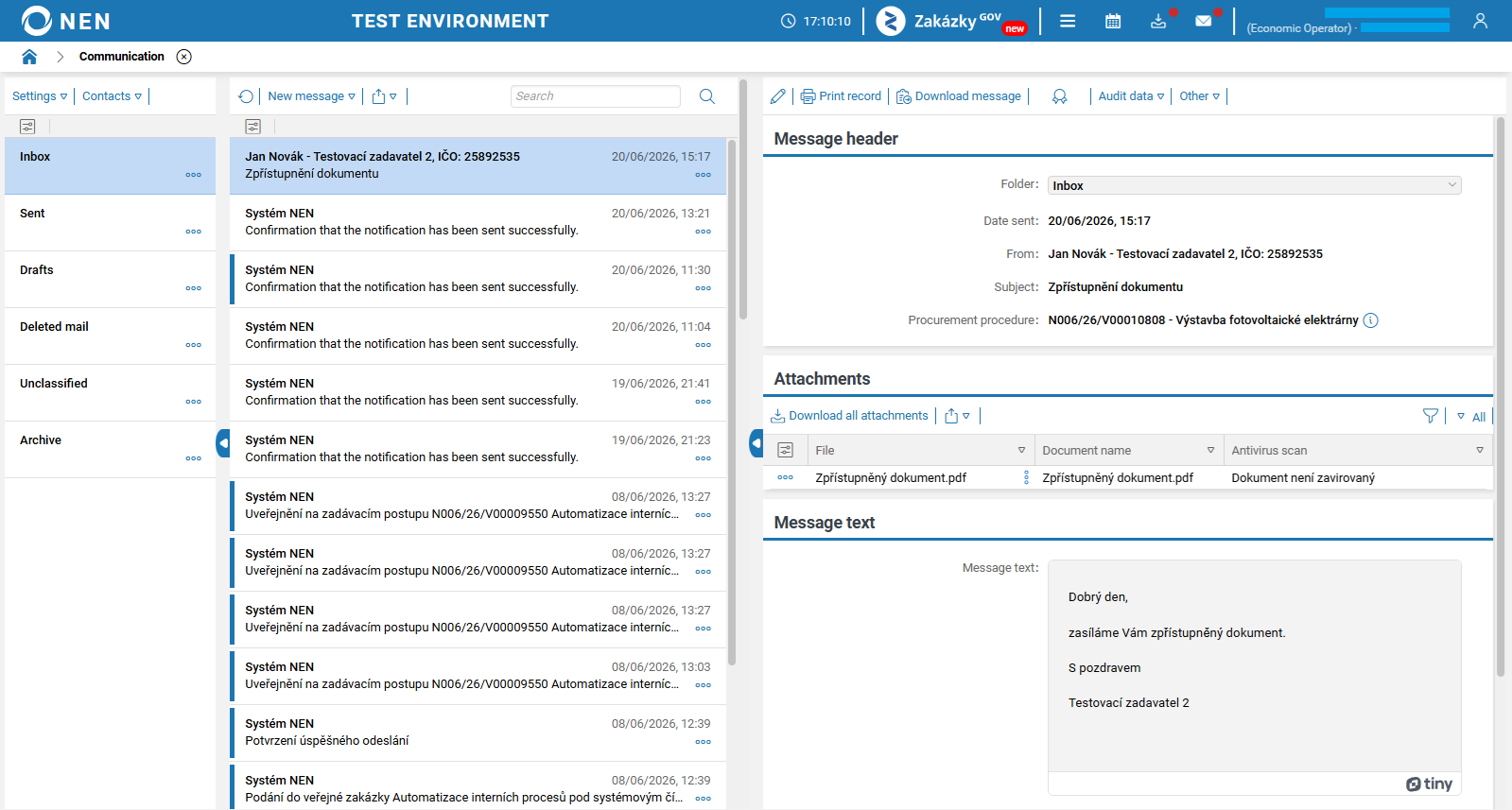
After the contracting authority processes the request for access to a document, the provided document will be available in an internal message. The subject of the notification will be “Zpřístupnění dokumentu”.